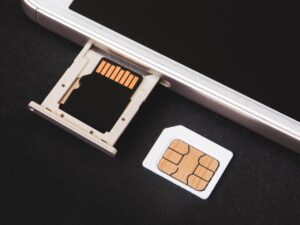

Understanding how long SD cards last is important because these tiny storage devices often hold photos, videos, security footage, drone recordings, dashcam files, documents, and app data. An SD card may look simple from the outside, but inside it relies on flash memory, which has a limited number of write and erase cycles.
There is no single lifespan that applies to every SD card. A card used only for occasional photo storage may remain useful for many years, while a card used every day in a dashcam, security camera, action camera, or Raspberry Pi can wear out much faster because it is constantly writing and deleting data.
Spontaneous failure usually feels sudden, but in many cases the card has been under stress for a long time. Heat, poor-quality flash memory, frequent overwriting, unsafe removal, fake capacity cards, file system corruption, and using the wrong card type for the device can all contribute to failure.
The safest way to think about SD card lifespan is not “how many years will it last?” but “how much writing, heat, and risk is this card exposed to?” That approach helps you choose the right card, replace it before problems appear, and avoid trusting one removable card as your only copy of important files.
This guide explains the practical lifespan of SD cards, why they fail, how to spot warning signs, and what you can do to reduce the chance of sudden data loss.
Important note: SD cards should not be treated as permanent backup storage. If the files matter, keep at least one extra copy on another device, external drive, cloud service, or professional backup system before formatting, testing, or replacing the card.
How Long SD Cards Last in Real Use
In normal consumer use, a good SD card can often last several years, but the real lifespan depends more on workload than age. A card that sits in a drawer with photos on it is not wearing out in the same way as a card recording looped video every day.
SD cards use NAND flash memory. Flash memory wears as data is erased and rewritten. Reading files usually causes little wear, but writing new files, deleting old ones, recording video, and constantly updating small system files can slowly reduce the card’s reliability.
For casual photography, travel cameras, music storage, document transfer, and light use, many users replace cards only when they upgrade capacity or notice errors. For continuous recording devices, replacement should be planned more carefully because the card may be writing data almost every minute it is powered on.
| Usage Type | Typical Wear Level | Practical Replacement Habit |
|---|---|---|
| Occasional photos and file transfer | Low | Replace when errors appear, capacity becomes insufficient, or the card becomes several years old. |
| Regular camera or drone use | Medium | Rotate cards, back up after each session, and replace cards that show slow saves or corrupted files. |
| Dashcam or security camera recording | High | Use high-endurance cards and replace proactively because loop recording overwrites data constantly. |
| Raspberry Pi, logging, or small server use | High to very high | Use reliable cards, reduce unnecessary writes, and keep system images backed up. |
| Long-term archive storage | Low writing, but higher storage risk | Do not rely on one card only; verify files periodically and keep additional backups. |
In practice, the safest habit is to replace cards based on importance and workload. A cheap card holding replaceable files can be used longer. A card holding once-in-a-lifetime photos, business footage, or security evidence should be replaced sooner and backed up more often.
Why SD Cards Can Fail Without Warning
SD card failure often feels random because the device may work normally one day and become unreadable the next. The small size of the card can make it seem simple, but it includes flash memory, a controller, firmware, electrical contacts, and a file system that must all work together.
One common reason is flash wear. Every time data is written and erased, parts of the memory are used again. Better cards manage this wear more effectively, but no flash card has unlimited endurance. Once weak memory blocks increase, the card may become read-only, corrupt files, disappear from the device, or fail during recording.
Another cause is interruption during writing. Removing the card, powering off the camera, draining the battery, or disconnecting a reader while files are being saved can damage the file system. The card may still be physically healthy, but the device may no longer understand the data structure correctly.
Heat also matters. Dashcams, action cameras, drones, and outdoor security cameras can expose cards to hot environments. Heat does not always kill a card immediately, but repeated heat stress can increase the chance of errors, especially in low-quality cards.
| Failure Trigger | What It Can Cause | What to Check First |
|---|---|---|
| Frequent overwriting | Memory wear, slow writes, corrupted recordings | Check whether the device records continuously and consider a high-endurance card. |
| Unsafe removal | File system corruption or missing files | Always stop recording, power down the device, or eject the card properly. |
| Heat exposure | Instability, recording errors, shorter lifespan | Check the device location and avoid leaving cards in hot cars or direct sun. |
| Fake capacity card | Files vanish after the real capacity is exceeded | Test new cards and buy from reliable sellers. |
| Wrong speed class | Dropped frames, stopped recording, device errors | Match the card’s speed class to the device manual. |
| Old or damaged contacts | Card not detected or intermittent connection | Inspect the contacts and test with another reader. |
Signs an SD Card Is Near Failure
An SD card does not always warn you before failing, but many cards show small symptoms first. These signs should be taken seriously, especially when the card holds important files or is used in a device that writes constantly.
A common warning sign is slower performance. If a camera takes longer to save photos, video recording stops unexpectedly, or file transfers become unusually slow, the card may be struggling. Speed issues can also come from a reader, cable, or device, so testing the card in another reliable reader is useful.
Corrupted files are another serious sign. A few damaged photos, unreadable videos, strange file names, or folders that disappear may indicate file system damage or failing memory. After the first unexplained corruption, back up anything readable before trying repairs.
- The card is sometimes detected and sometimes missing.
- Files disappear, become unreadable, or show strange names.
- The device asks to format the card unexpectedly.
- Video recording stops before the card is full.
- Photos save slowly or fail after capture.
- The card becomes read-only without you changing a setting.
- Formatting fails or errors return soon after formatting.
When these signs appear, do not keep recording new files on the same card. Continued use can overwrite recoverable data or make corruption worse. Copy what you can, test the card carefully, and replace it if the problem repeats.
How Capacity, Speed Class, and Card Type Affect Reliability
Capacity and speed class do not guarantee lifespan by themselves, but they affect how suitable the card is for a specific device. The SD Association defines SD, SDHC, SDXC, and SDUC capacity standards, and different devices support different card families and file systems.
For example, older devices may not support very large SDXC or SDUC cards. A card can be healthy and still behave poorly if the device does not fully support its capacity, file system, or required bus mode. This is why the device manual matters more than just buying the biggest card available.
Speed class is especially important for video. A camera recording high-resolution footage needs a card that can maintain a minimum write speed. If the card is too slow, recording may stop, frames may drop, or files may be damaged. The SD Association uses speed markings such as Class 10, U1, U3, V30, V60, V90, and newer SD Express classes to help match cards to recording needs.
For reliability, the best card is not always the fastest or most expensive. It is the card designed for the workload. A high-speed card for photography may not be ideal for continuous loop recording, while a high-endurance microSD card is usually better for dashcams and security cameras.
| Card Label or Feature | What It Mainly Tells You | Reliability Tip |
|---|---|---|
| SD, SDHC, SDXC, SDUC | Capacity family and device compatibility range | Check whether your device supports that card family before buying. |
| Class 10, U1, U3 | Minimum sustained write performance category | Use the same or higher class required by the device manual. |
| V30, V60, V90 | Video-focused sustained writing class | Prefer video speed class cards for cameras that record high-bitrate video. |
| A1 or A2 | App performance class for random read and write operations | Useful for phones, handhelds, and app storage, but not a substitute for endurance. |
| High Endurance or Industrial | Designed for heavier writing, heat, or continuous recording | Best choice for dashcams, security cameras, and logging devices. |
Best Practices to Prevent Spontaneous SD Card Failure
You cannot make an SD card last forever, but you can reduce avoidable failure. Most safe habits are simple: buy genuine cards, use the right type, avoid interrupting writes, format correctly, keep backups, and replace cards before they become risky.
The first step is buying from a reliable source. Fake cards are a major problem because they may report a larger capacity than they actually have. They can appear to work at first, then corrupt files when the real memory limit is reached. This is one reason very cheap high-capacity cards should be treated with caution.
The second step is matching the card to the workload. A phone, camera, dashcam, drone, and single-board computer do not use storage in the same way. Continuous recording and operating system writes are harder on cards than occasional photos.
-
Choose the correct card type for the device.
Read the device manual and match the required capacity family, speed class, and endurance type. Avoid assuming that a larger or faster card is automatically better if the device does not support it properly.
-
Back up before heavy use.
Before a trip, recording session, inspection, or work project, copy old files to another storage location. This prevents one failing card from holding your only copy.
-
Format the card in the correct device or with the official SD formatter.
Formatting prepares the file system cleanly. The SD Association recommends its SD Memory Card Formatter because general operating system tools may not be optimized for SD cards.
-
Stop recording before removing the card.
Wait until the device finishes writing. Removing the card during saving, recording, or file transfer can corrupt files even if the card itself is not worn out.
-
Keep the card away from heat, moisture, and bending.
Store cards in a case, avoid touching the contacts, and do not leave them loose in pockets, bags, or hot vehicles.
-
Rotate cards instead of using one card for everything.
Using several cards spreads wear and reduces the damage if one card fails. This is especially useful for cameras, drones, and field work.
-
Replace cards used for continuous recording on a schedule.
Dashcams, security cameras, and logging devices should not rely on a card until it fails. Planned replacement is safer than waiting for corrupted footage.
- Buy from trusted sellers, not unknown listings with unrealistic prices.
- Use high-endurance cards for loop recording devices.
- Keep at least one backup of important files.
- Format only after files are safely copied elsewhere.
- Do not remove the card while the device is writing.
- Avoid filling the card completely during important work.
- Label older cards so you know which ones are riskier.
Common Mistakes That Shorten SD Card Life
One of the biggest mistakes is using a normal low-cost microSD card in a dashcam or security camera. These devices often write continuously and overwrite old footage in loops. A card not designed for that workload may fail much sooner than expected.
Another mistake is trusting one card as the only backup. SD cards are convenient, but they are small, easy to lose, and not designed as permanent archival storage. If a file matters, it should exist in more than one place.
Many users also ignore the first warning signs. If a camera asks to format the card, files vanish, or videos become unreadable, continuing to use the card can make recovery harder. The safe move is to stop writing to the card and copy readable files immediately.
| Mistake | Possible Consequence | Safer Habit |
|---|---|---|
| Buying the cheapest large card available | Fake capacity, slow writes, early corruption | Buy genuine cards from trusted retailers. |
| Using one card for years in a dashcam | Sudden recording failure or missing footage | Use high-endurance cards and replace them proactively. |
| Removing the card while saving files | Corrupted file system or lost recordings | Stop recording and eject safely before removal. |
| Filling the card to the last megabyte | Recording errors and difficult file management | Leave free space and offload files regularly. |
| Formatting without backup | Permanent loss of important files | Copy files first, then format only when safe. |
How to Check Whether an SD Card Is Still Safe to Use
Testing an SD card is useful when the card is new, suspicious, slow, or showing errors. The goal is to confirm that the card reports its real capacity, writes data reliably, and can be read back without corruption.
For a new card, especially one bought online, a full write-and-read verification test can detect fake capacity. This type of test fills the card with test data and checks whether the data can be read correctly. It takes time, but it is better to discover a fake card before storing important files on it.
For an older card, testing can show obvious problems, but it cannot guarantee future safety. A card may pass one test and still fail later under heat, vibration, heavy writing, or device-specific conditions. Use testing as a warning tool, not as a promise of permanent reliability.
- Back up all readable files before running tests.
- Use a reliable card reader and cable.
- Check whether the reported capacity matches the real product.
- Run a full write-and-read verification test for suspicious cards.
- Test the card in the device where it will actually be used.
- Replace the card if errors return after formatting.
If the card contains important lost data, do not run aggressive tests before recovery. Writing test data to a damaged card can overwrite files that might otherwise be recoverable.
When Formatting Helps and When It Does Not
Formatting can fix some file system problems, but it does not repair worn-out flash memory. If a card has only become confused because of unsafe removal or device incompatibility, a proper format may make it usable again. If the memory is failing, the same errors will usually return.
The SD Association provides an official SD Memory Card Formatter for SD, SDHC, SDXC, and SDUC cards. It recommends using this formatter instead of general operating system formatting tools because ordinary tools may not be optimized for SD memory card standards.
Formatting is also useful when moving a card between devices. For example, a card used in a camera may have folders and file structures that another device does not expect. Formatting in the target device or with an SD-specific tool gives the card a clean structure.
However, formatting should never be your first step when files are missing. If you need the data, stop using the card and attempt recovery before formatting. Formatting may make recovery more difficult, especially if new data is written afterward.
When to Replace an SD Card Instead of Reusing It
Replacement is the safer choice when the card has already shown unexplained errors. A card that fails once during an important recording job may fail again. Even if it works after formatting, the risk may not be worth it for valuable files.
For casual use, you might keep an older card for temporary file transfer or nonessential storage. For paid work, travel photos, drone footage, security footage, or system storage, an unreliable card should be retired immediately.
Continuous recording cards deserve special attention. Dashcam and surveillance cards often work quietly until the moment you need the footage. Because they constantly overwrite data, planned replacement is safer than waiting for a visible failure.
| Situation | Reuse or Replace? | Reason |
|---|---|---|
| One accidental format, no errors afterward | Reuse with caution | The problem may have been user action, not card failure. |
| Repeated corrupted files | Replace | Repeated corruption is a strong warning sign. |
| Card becomes read-only by itself | Replace | Some cards switch to read-only behavior when failure is likely. |
| Old card used for important paid work | Replace or downgrade to noncritical use | The cost of failure is higher than the cost of a new card. |
| Dashcam card used daily for a long period | Replace proactively | Loop recording creates heavy write wear. |
When to Seek Professional Help or Official Support
If the SD card contains valuable files and is no longer readable, avoid repeated repair attempts. Do not keep formatting, copying new files, or running random repair tools. Every write operation can reduce the chance of successful recovery.
Professional data recovery may be worth considering when the card contains business footage, legal evidence, wedding photos, client files, or any data that cannot be replaced. Recovery is not guaranteed, but a specialist has better tools than basic consumer software.
You should also check official support when the card is new, under warranty, or possibly counterfeit. The card manufacturer may provide warranty replacement, product verification guidance, or compatibility information. For device-specific recording problems, check the camera, dashcam, drone, or phone manufacturer’s support page as well.
When the problem appears only in one device, test carefully before blaming the card. A weak card reader, damaged slot, outdated device firmware, incompatible capacity, or wrong file system can create symptoms that look like card failure.
Conclusion
How long SD cards last depends on the quality of the card, how often it writes data, the device it is used in, heat exposure, formatting habits, and whether it is genuine. Light use may allow a card to remain useful for years, while constant recording can wear a card much faster.
The best protection is practical prevention: buy genuine cards, match the speed and endurance rating to the device, back up important files, avoid unsafe removal, format correctly, and replace cards that show warning signs. These habits reduce the risk of spontaneous failure, but they do not remove it completely.
If a card starts showing corruption, detection problems, or unexpected format warnings, stop using it for important work. Back up what you can, test carefully, and seek professional recovery or official support when the data is valuable.
FAQ
1. Do SD cards expire after a certain number of years?
SD cards do not usually have a simple expiration date like food or medicine. Their useful life depends on flash memory wear, storage conditions, card quality, and how often data is written and erased. A lightly used card may remain usable for many years, while a card in a dashcam or security camera may wear out much faster. Age still matters because electronic components and stored data can become less reliable over time. For important files, the safest approach is to keep backups and replace older cards before they become the only weak point in your workflow.
2. Can an SD card fail even if I rarely use it?
Yes, although it is less common than failure from heavy writing. A rarely used SD card can still be damaged by heat, moisture, static electricity, physical bending, dirty contacts, poor manufacturing quality, or long periods without checking the stored files. Data stored on flash memory should not be treated as permanent archive storage. If the card contains old photos or documents, copy them to another drive or cloud storage and verify that the files still open correctly. A card left untouched for years should be checked before you rely on it again.
3. Why do dashcams wear out SD cards faster?
Dashcams usually record continuously and overwrite old footage when the card becomes full. This loop recording creates repeated write and erase cycles, which is exactly the type of workload that wears flash memory. Heat can make the problem worse because dashcams often sit inside parked cars. A normal microSD card may work at first but fail sooner under this workload. For dashcams, it is better to use a high-endurance card, check recordings regularly, and replace the card before it shows serious errors.
4. Is a high-capacity SD card more reliable?
A higher-capacity SD card is not automatically more reliable, but it can reduce how often the same memory areas are reused in some workloads. Reliability still depends on the card’s quality, controller, flash memory type, endurance design, and whether the card is genuine. A large fake card can be much less reliable than a smaller genuine card. Compatibility also matters because some devices do not support every SD, SDHC, SDXC, or SDUC capacity range. Always check the device manual before buying a very large card.
5. Should I format my SD card often?
Formatting can help keep the file system clean, especially in cameras and recording devices, but it should be done carefully. Always back up files before formatting because formatting may remove access to stored data. For camera use, formatting in the camera is often better than deleting files one by one. For computer formatting, the official SD Memory Card Formatter is designed specifically for SD card standards. Formatting will not fix a physically failing card, so if corruption returns after formatting, replacement is usually the safer choice.
6. Can deleting files reduce SD card lifespan?
Deleting files by itself is not usually the main problem, but deletion is part of the write and erase activity that flash memory must manage. The bigger issue is repeated cycles of recording, deleting, and recording again, especially with video or system logging. Devices that constantly overwrite data create much more wear than occasional manual deletion. Instead of worrying about every small deletion, focus on using the right card type, avoiding full-card stress, formatting properly when needed, and backing up files before heavy use.
7. What is the safest way to remove an SD card?
The safest method is to make sure the device is not writing data before removal. Stop recording, wait for save lights or progress messages to finish, power off the camera or device if appropriate, and use the operating system’s eject option when connected to a computer. Pulling a card during a write operation can corrupt the file system even if the card is physically healthy. This is especially important for video cameras, dashcams, drones, phones, and Raspberry Pi systems that may write background files without obvious warning.
8. Are microSD cards less durable than full-size SD cards?
MicroSD cards are smaller and easier to lose or physically damage, but their reliability depends more on product quality, workload, and design than size alone. Many microSD cards are used in demanding devices such as phones, drones, dashcams, and action cameras, which can make them seem less durable because they face heavier stress. The adapter can also introduce connection problems if it is low quality or worn. For important use, choose a genuine card from a trusted brand and avoid handling the contacts unnecessarily.
9. Can a slow SD card cause file corruption?
A slow card can cause recording problems when the device needs a sustained write speed that the card cannot maintain. This is common with high-resolution video, burst photography, drones, and action cameras. The result may be stopped recording, dropped frames, incomplete files, or error messages. It is not always corruption in the physical failure sense; sometimes the card is simply not suitable for the workload. Match the card’s speed class, video speed class, and capacity support to the device manual for safer performance.
10. Is it safe to use an old SD card for backups?
An old SD card can be used for temporary extra copies, but it should not be your only backup. SD cards are small, easy to misplace, and not ideal for long-term archive storage without verification. If you store files on an old card, keep another copy on a separate drive or cloud service and check the files periodically. For valuable photos, business files, or legal records, use a more complete backup strategy. A backup is safer when it exists in multiple places, not on one removable card.
11. What should I do if my SD card asks to be formatted?
If the card asks to be formatted and you need the files, do not format it immediately. Formatting may make recovery harder, especially if new data is written afterward. First, try the card in another reliable reader or device to rule out a connection issue. If the data is important, consider recovery software or a professional recovery service before making changes. If the files are already backed up and the card has no physical symptoms, you can format it and test it, but repeated format warnings usually mean replacement is safer.
12. Do high-endurance SD cards really matter?
High-endurance SD cards matter for devices that write constantly, such as dashcams, security cameras, body cameras, and some logging systems. These cards are designed for heavier write workloads than ordinary consumer cards. They do not last forever, and they still need backups and replacement, but they are usually a better match for continuous recording. For casual photography or file transfer, a standard quality card may be enough. The key is matching the card to the job instead of buying based only on capacity or price.
Editorial note: This article is educational and practical guidance for general SD card care. It does not replace professional data recovery, manufacturer warranty support, or device-specific instructions when a card contains valuable files or is used in critical recording systems.
Official References
- SD Association — Speed Class
- SD Association — Capacity SD, SDHC, SDXC and SDUC
- SD Association — SD Memory Card Formatter

Marcus Hale is the founder of Priwoo StorageLab and a long-time camera storage enthusiast. After losing a full shoot to a corrupted card, he became obsessed with understanding how memory media really works. He now spends his time testing cards, breaking down storage specs, and helping photographers and videographers avoid data loss.