I wrote this guide to help you navigate the complex world of memory cards and to show how different video speed class ratings affect your workflow. I trace standards back to the SD Association, which was formed in January 2000 to manage portable storage rules.
When I look at a modern memory card, I see a tiny but powerful device that grew from the first 8MB models. My aim is to break down technical terms so you can choose the right storage for your camera and recording needs.
Whether you shoot full-frame video or capture family moments, understanding the specific speed card requirements for your gear ensures reliable performance and fewer dropped frames. I will make the jargon clear so you can focus on creating.
Key Takeaways
- I created this guide to simplify memory cards and video speed class ratings.
- The SD Association set standards in January 2000 to guide portable storage.
- Modern cards evolved from tiny 8MB beginnings to high-performance media.
- Matching the right card to your gear protects your footage and photos.
- I will demystify ratings so you can pick storage that fits your budget and goals.
Understanding SD Card Speed Classes Explained
I often begin by noting that the logos on a memory product are not cryptic. They mark minimum sustained performance you can expect during recording.
Every card and format is built to meet industry standards. These standards define the lowest continuous write rate so your camera can record without interruption.
Many people find the symbols confusing, but they are simple indicators of how well a card will handle steady data flows. I always check the speed class before I buy to match my camera’s requirements.
Knowing these ratings helps you avoid dropped frames and error messages. If your device needs higher throughput, pick a card with a higher guaranteed write profile.
The Evolution of Memory Card Technology
Memory formats have shrunk while their capabilities exploded over the past two decades. I trace that change from the first public format in August 1999 to the tools I use today.
Origins of the Format
The formation of the SD Association in January 2000, by SanDisk, Panasonic, and Toshiba, was pivotal.
That move created a common standard so manufacturers could make interoperable memory card products that work across devices.
I still recall the first commercial units offering just 8MB—tiny by modern standards, but important stepping stones.
The Rise of MicroSD
SanDisk introduced the microSD format in 2004, first called T-Flash before broader adoption.
Over the years the industry shifted from bulky modules to the tiny micro cards that now power phones, drones, and cameras.
- Smaller size meant wider device compatibility.
- Higher density improved storage and data performance.
- Interoperability let brands build reliable ecosystems across years of upgrades.
Decoding SD Capacity Standards
Higher capacity formats let me record long events without swapping media. The SDXC standard, introduced in 2009, supports storage up to 2TB, which changed how I plan shoots and archive footage.
Understanding capacity standards like SDHC and SDXC matters as much as knowing the sustained speed when shopping for new gear. I always check my camera manual to confirm which formats my device supports before I buy high-capacity cards.
The move from the original SDSC format to the massive 2TB limits made it possible for consumer electronics to hold hours of high-definition footage. That shift improved workflow and reduced interruptions on long sessions.
- I format media to match the file system my computer expects to avoid data issues.
- Modern devices are usually backward compatible, but older hardware may need a firmware update to read the latest high-capacity cards.
Why Sustained Write Speed Matters for Video
I learned early that peak transfer numbers mean nothing without a steady minimum write rate. For video work, the minimum sustained write is the number that keeps footage intact.
Devices need a constant stream of data during long takes. If a card can’t keep up, frames are lost and files can corrupt.
Preventing Dropped Frames
The minimum sustained write speed is the most critical metric for video recording. I count on it to capture every frame without interruption.
“I once lost a day of footage because the card’s burst numbers fooled me; it failed when the sustained write fell short.”
For example, if my camera requires a 30MB/s sustained write speed, using a slower medium will cause dropped frames. I always prioritize sustained write speeds over peak read or burst numbers when I choose media for shoots.
| Requirement | Needed Rate (MB/s) | Impact if Lower |
|---|---|---|
| 1080p 30fps | 10 | Minor stutter, recoverable |
| 4K 30fps | 30 | Dropped frames, file errors |
| 4K 60fps | 60 | Severe corruption, unusable clips |
Exploring the Original Speed Class Ratings
Early on, the original speed class labels gave buyers a simple way to choose media for cameras and devices.
Those markings—Class 2, 4, 6, and 10—served as the first consumer-facing performance standard.
Each class represented a guaranteed minimum write speed in MB/s, so you could trust a device to record continuous data without surprise drops.
At the time, a Class 10 was treated like a milestone. I recall it being the practical gold standard for many shooters.
Today, those ratings still appear on older packaging and on some low-cost products. For modern high-bitrate video, however, they often fall short.
When I work with older devices, I always check for a matching class rating to confirm compatibility with the hardware’s limits.
| Class Rating | Minimum Write (MB/s) | Best Use |
|---|---|---|
| Class 2 | 2 MB/s | Standard photo, low-bitrate audio |
| Class 4 | 4 MB/s | Basic video and still photography |
| Class 6 | 6 MB/s | Higher-quality stills, light video |
| Class 10 | 10 MB/s | Full HD video baseline, general use |
- I recommend checking your device manual for required write rates before buying.
- Use these original class ratings only for entry-level needs or legacy equipment.
The Role of UHS Speed Class in Modern Devices
UHS brought a new bus standard that let modern cameras move large files off the sensor faster than older interfaces. I saw UHS-I arrive in 2010 and it immediately changed expectations for throughput on high-performance SDHC and SDXC media.
In practice, the uhs speed class was a major leap. It made burst photography feasible for long runs because the camera could clear its buffer much faster.
When a uhs-compatible memory card runs in a non-UHS device, it simply falls back to the standard speed class. I always check device compatibility to avoid surprises during shoots.
The markings use Roman numerals, which help me identify the bus interface and expected performance tier at a glance.
Manufacturers used UHS to enable very high-quality recording that earlier consumer hardware could not sustain. That shift unlocked new applications for cameras, drones, and portable recorders.
| Feature | UHS-I Benefits | Typical Impact |
|---|---|---|
| Throughput | Higher sustained transfer rates up to theoretical bus limit | Faster buffer clearing for burst photos and long video takes |
| Compatibility | Backwards compatible, defaults to standard modes on older devices | Avoids failures but limits peak performance if device lacks UHS |
| Identification | Marked with Roman numerals for bus type | Quickly shows expected performance tier for purchases |
| Applications | Professional photography and high-bitrate video | Enables workflows that were impractical on older memory |
Breaking Down Video Speed Class Ratings
Video speed class markings tell you the guaranteed minimum sustained write you can rely on during long takes.
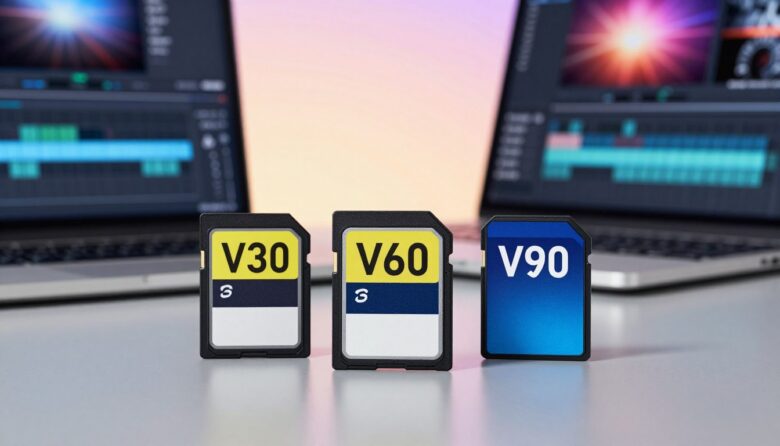
I look for the V-rating first because it defines the minimum sustained write my workflow needs. For example, a V30 rating is often the baseline for 4K video recording, so the data stream stays steady through long clips.
The V90 rating guarantees a minimum sustained write speed of 90MB/s, which is why I pick it for 8K and high-end 360-degree capture projects.
These video ratings are distinct from the uhs speed class, though you will see both on many memory card labels. The uhs label points to bus capabilities and transfer potential, while the V-rating focuses on sustained write performance during recording.
I rely on these ratings when I shoot high-resolution photos or video because they indicate whether a card can handle the read write speeds my camera demands. Trusting the right rating reduces dropped frames and keeps my footage safe.
What V30 Means for Your Workflow
V30 guarantees a minimum sustained write of 30MB/s, which is the standard many cameras expect for reliable 4K video recording.
In my kit, V30 is the workhorse. It balances price and performance so I can shoot long takes without constant media swaps.
I rely on the V30 video speed class when I need steady write speed that matches my camera’s bitrate. This reduces dropped frames and keeps editing simpler.
V30 is widely supported by modern devices, so compatibility headaches are rare. That makes it a safe choice for most creators moving into high-definition work.
Below is a quick comparison to show typical uses and expected results.
| Rating | Minimum Write (MB/s) | Best Use |
|---|---|---|
| V30 | 30 MB/s | 4K 30fps, run-and-gun shoots, general video recording |
| Baseline | 10–30 MB/s | Full HD, casual projects, lower bitrates |
| Workload | 30 MB/s+ | Daily shoots where steady transfer and reliability matter |

“By choosing a V30 option, I can focus on my creative work without worrying whether my storage keeps up.”
When to Choose V60 Cards
V60 provides a minimum sustained write of 60 MB/s, which is often required for higher-bitrate 4K or 6K video recording.
I pick V60 when my camera uses demanding codecs or fast frame rates. The extra headroom keeps files steady and reduces the chance of dropped frames.
- I choose V60 cards when a higher bitrate needs a reliable sustained write so recording stays uninterrupted.
- V60 is a solid middle-ground for pros who want more performance than V30 but don’t need V90 levels.
- For complex motion or heavy compression codecs, the 60MB/s minimum write is a lifesaver for my workflow.
- These cards suit devices that demand a constant data stream, protecting footage during long takes.
- I keep several V60 cards as backups when my V90 media fills up on long shoots.
“Choosing V60 gave me the confidence to focus on composition, not whether my memory would keep up.”
The Performance Benefits of V90
For 8K and heavy-bitrate shoots, I trust only the top-tier options that promise steady throughput.
V90 is the premium video speed class. It guarantees a minimum sustained write of 90 MB/s (90 mb/s), which is vital for professional 8K and high-frame-rate recording.
I use V90 media when I need absolute reliability. The higher minimum write protects my footage during long takes and complex codecs.
The payoff is simple: fewer dropped frames, smoother transfer to my workstation, and less time troubleshooting corrupted files.
Yes, these cards cost more. For my projects, the added performance and peace of mind justify the price every time.
| Use Case | Minimum Write (MB/s) | Real Benefit |
|---|---|---|
| 8K 60fps, high-bitrate codecs | 90 MB/s | Reliable continuous recording, no dropped frames |
| High-frame-rate slow motion | 90 MB/s | Consistent throughput for long takes |
| Pro workflows (multi-camera) | 90 MB/s | Faster file transfer and editing stability |
“When a project can’t be redone, I use V90 so my footage records perfectly the first time.”
Understanding Bus Interfaces and Transfer Rates
Think of the bus as a highway for data, and its lanes determine how fast transfers flow. I explain how interfaces shape real-world performance so you pick the right memory cards for your workflow.
UHS-I Capabilities
UHS-I supports theoretical rates up to 104MB/s, which often matches the needs of everyday photography and 4K workflows. I watch the uhs speed markers to confirm a card will meet my transfer expectations.
UHS-II and Full Duplex
UHS-II added a second row of pins to reach about 312MB/s. That extra channel lets devices read and write much more efficiently.
I rely on this design for pro shoots with fast burst shooting and heavy write demands. Many cameras and manufacturers favored UHS-II for its clear performance gains.
UHS-III Limitations
UHS-III offered incremental gains, but adoption has been limited. The industry shifted toward the newer SD Express approach, which uses PCIe lanes to push into the thousands of mb/s.
| Interface | Typical Max (MB/s) | Best Use |
|---|---|---|
| UHS-I | 104 | Everyday 4K, general memory needs |
| UHS-II | 312 | Pro cameras, heavy write workloads |
| SD Express | 3938 | Future-proof high-throughput transfer |
Bottom line: check the bus before you buy. In recent years I learned that interface choice often impacts workflow more than raw media specs.
How SD Express is Changing the Landscape
Bringing PCIe and NVMe protocols to the familiar form factor has pushed portable storage into a new league. I’ve watched this change make big differences in throughput and reliability for creators.
Nintendo announcing Switch 2 support for microSD Express is a milestone. It shows that mainstream devices will adopt this high-performance option, and that matters to anyone who records long video takes on the go.
SD Express uses the same protocol as desktop NVMe drives, so these tiny cards can deliver transfer rates that were once impossible for removable media. That makes editing faster and backups quicker.
- I expect more devices to add support, which will drive wider adoption.
- For demanding shoots, the improved write guarantees mean fewer interruptions and more consistent performance.
- Over time, this approach will likely become the norm for professional workflows.
“I’m excited to see portable media finally match the performance of high-end computer storage.”
Matching Your Card to Your Camera Requirements
I always confirm a camera’s required minimum sustained write before I pick media. A simple mismatch between a camera’s bitrate and a memory medium’s minimum write will ruin an otherwise perfect take.
Start with the manufacturer’s recommended speed class and the device’s recorded bitrate. If the camera needs high throughput, choose media with a higher video speed class rating.
Preventing Dropped Frames
Reliable sustained write speeds prevent dropped frames and corrupted files. For example, a V30 option may work for many 4K jobs, but V60 or V90 is safer when bitrates rise.
I test cards in my camera before important shoots and keep backups formatted to match the device. That habit saved me from lost footage more than once.
| Camera Need | Minimum Write (MB/s) | Recommended Class |
|---|---|---|
| Full HD, casual | 10 | Class 10 / V10 |
| 4K 30fps typical | 30 | V30 |
| 4K high-bitrate / 6K | 60 | V60 |
| 8K, high-frame-rate | 90 | V90 |
“Match the media to your camera’s write rate and you avoid the frustration of dropped frames.”
Avoiding Common Pitfalls When Buying Memory
A common mistake I notice is trusting flashy packaging over verified performance claims.
Counterfeits and fake ratings are one of the most frequent problems I see. Many counterfeit products pretend to meet a video speed class or minimum sustained write, but they fail under load.
I always buy from reputable manufacturers and authorized retailers. That step cuts the risk of losing data and ensures the memory card performs as labeled.
Watch for official logos and serial verification. Logos and authenticity tools show the product passed manufacturer tests and matches its write speed mb/s claims.
Cheap options may save money up front but cost time and footage later. I test new cards in my camera before important shoots and keep backups ready.
“Buy verified media from trusted sellers — it’s the simplest way to protect your work.”
| Pitfall | How I Avoid It | Result |
|---|---|---|
| Counterfeit labels | Buy from authorized retailers, check serials | Genuine performance, fewer failures |
| Too-good-to-be-true price | Compare reviews and manufacturer site | Reduced risk of data loss |
| Unverified minimum write | Test in device, verify sustained write | Reliable video recording and transfers |
Future Trends in Flash Storage
I see manufacturers racing to merge higher capacity flash with faster interfaces so my files move and store with less friction.
Faster buses and denser memory will make high-resolution recording easier on everyday devices. As 8K and even 12K work becomes more common, these advances will matter to my workflow and to professional cameras.
Reliability will stay central. Better minimum write guarantees and more robust video speed markers will protect long takes. That means fewer interruptions and cleaner transfers to my workstation.
- I expect higher capacities and improved performance to become standard for memory cards and portable storage.
- Manufacturers will focus on interoperability so new devices read and write without special adapters.
- Improved data management tools will help me move footage across devices faster and more safely.
“The evolution of removable storage is far from over — the next generation will let creators capture more without compromise.”
Conclusion
Picking reliable media is one of the simplest ways I protect hours of footage.
I hope this guide gave you a clear view of how video speed class and UHS standards affect recording and postwork. A strong, clear recommendation: match the class to your device and workflow before you buy.
I still buy memory cards from known manufacturers and test each unit in my camera. That habit keeps my data safe and improves on-set performance.
Choose the right card for your project, and you reduce stress during shoots and editing. Thank you for reading — I hope you feel ready to pick storage with confidence.
FAQ
What do V30, V60, and V90 indicate?
These ratings show the minimum sustained write performance in megabytes per second — V30 guarantees 30 MB/s, V60 guarantees 60 MB/s, and V90 guarantees 90 MB/s. I use these when choosing media for video shoots so I avoid dropped frames and recording interruptions.
How does sustained write speed differ from burst write or advertised transfer rates?
Sustained write refers to the continuous throughput a memory device can maintain during long recordings. Burst or peak rates are short-term and often achieved under ideal conditions. I always check sustained numbers for recording video rather than relying on peak read/write claims from manufacturers.
Is UHS speed class the same as video speed class?
No. UHS class (U1, U3) defines minimum sustained write under the Ultra High Speed bus, while video speed classes (V6–V90) focus specifically on video capture needs. I match both specs to my camera: UHS bus for device compatibility and the video class for recording reliability.
Will a V30-rated card handle 4K recording?
In many cases, yes. V30 supports 4K at common bitrates, but higher-bitrate codecs or high-frame-rate 4K may demand V60 or V90. I check my camera’s required minimum write speed and add a margin to be safe.
When should I choose V60 over V30?
Pick V60 for higher-bitrate 4K, 6K, or raw video workflows, and for extended burst photography. I upgrade to V60 when I move to cameras that record heavy data or when I want more headroom for future gear.
Are V90 cards necessary for consumer use?
V90 is mainly for professional cinema, high-frame-rate, and raw capture workflows. For most hobbyists and many pros shooting compressed 4K, V30 or V60 is sufficient. I only use V90 when my recorder or camera explicitly benefits from that level of sustained write.
How do bus interfaces like UHS-I, UHS-II, and UHS-III affect real-world performance?
The bus determines maximum transfer potential. UHS-I peaks lower than UHS-II and UHS-III, which add extra pins for faster throughput. I make sure my camera or reader supports the bus; otherwise, a faster media will operate at the device’s slower interface.
What is SD Express and should I care?
SD Express integrates PCIe and NVMe for dramatically higher transfer speeds, useful for heavy workflows like 8K and multi-stream recording. I consider SD Express if I need near-SSD speeds for quick offloads and editing.
How do I prevent dropped frames when recording?
Use a card with a sustained write rating that exceeds your camera’s minimum, format media in-camera, and avoid filling the card to capacity. I also keep spare cards and perform periodic tests with my camera’s highest recording mode.
What common buying mistakes should I avoid?
Don’t buy solely on advertised peak speeds or brand alone. Avoid counterfeit products, mismatched bus compatibility, and undersized sustained write class for your recording needs. I purchase from reputable retailers and verify model specs against my device requirements.
How do capacity standards like SDHC and SDXC relate to performance?
Capacity (such as SDHC or SDXC) describes storage size and filesystem compatibility, not performance. Higher capacity options can offer faster modern architectures, but you still need to check the sustained write rating. I match capacity to my shoot length and performance to my bitrate.
Can I use a high-rated card in older cameras?
Usually yes, but the camera may limit the card to its maximum supported bus speed. You’ll get reliable sustained performance but not the card’s peak potential. I test cards in older bodies to confirm stability before critical shoots.

Ryan Whitaker is a technology writer and imaging enthusiast dedicated to camera storage media and data performance. He breaks down complex storage solutions into practical insights for photographers, videographers, and content creators.