Choosing the best SD cards for 4K and 8K video recording is not just about buying the card with the biggest number printed on the label. For video, the most important detail is sustained write speed, because the camera must save a continuous stream of data without interruption.
A card that works well for photos may still fail during long 4K, 6K, or 8K recording if its minimum write performance is too low. This is why ratings such as V30, V60, and V90 matter more than the advertised maximum read speed when your goal is reliable video capture.
In a practical 2024 buying decision, most creators should start by checking the camera manual first. Some cameras record 4K comfortably on V30 cards, while higher-bitrate 4K, 6K, 8K, All-Intra, ProRes, or RAW-style formats may require V60, V90, CFexpress, or external SSD support.
The safest approach is to match the card to the camera’s real recording mode, not only the resolution. A compressed 8K mode can require less storage speed than a high-bitrate 4K All-Intra mode, depending on the camera, codec, frame rate, and bit depth.
This guide explains how to compare SD card ratings, which models are worth considering, what mistakes to avoid, and how to choose a card that fits your camera without overspending on speed you cannot actually use.
Important note: before buying a memory card for professional recording, confirm your camera’s official media requirements, test the card before paid work, and avoid unknown sellers because counterfeit cards can cause recording failures or corrupted files.
How to choose the right SD card for 4K and 8K video recording
The best starting point is the video speed class. A V30 card is rated for a minimum sustained write speed of 30 MB/s, V60 is rated for 60 MB/s, and V90 is rated for 90 MB/s. These numbers matter because video recording depends on stable writing, not short bursts of speed.
For standard 4K recording, many cameras work well with V30 cards, especially when the codec is efficient and the bitrate is moderate. For higher-bitrate 4K, 6K, 8K, or demanding professional modes, V60 or V90 is usually a safer choice.
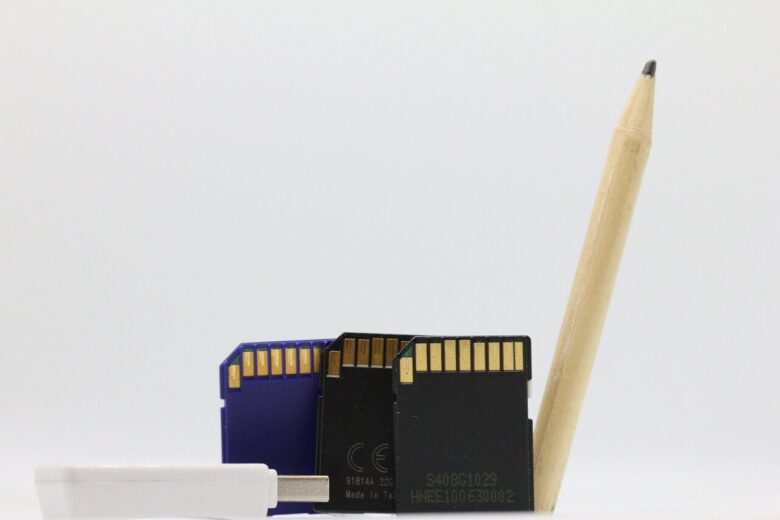
Another important detail is the bus interface. UHS-I cards are widely compatible and affordable, but UHS-II cards have a second row of pins and can deliver higher performance in compatible cameras and card readers. If your camera only supports UHS-I, a UHS-II card may still work, but it will usually run closer to UHS-I limits.
In practice, many recording problems happen because the buyer looks only at maximum read speed. Read speed helps when transferring files to a computer, but write speed is what keeps recording stable inside the camera.
| Recording need | Recommended rating | Practical note |
|---|---|---|
| Full HD and light 4K | V30 or better | Usually enough for casual recording, vlogging, and basic mirrorless camera modes. |
| High-quality 4K | V60 or better | Better for higher bitrates, longer takes, and more demanding camera profiles. |
| 6K or lighter 8K | V90 when SD is supported | Useful when the camera allows SD cards for advanced recording modes. |
| 8K RAW, ProRes RAW, or very high bitrate video | Check camera media list | Some cameras require CFexpress, CFast, or external SSD instead of SD. |
Recommended SD cards to compare before buying
The cards below are strong options to compare because they target creators who record high-resolution video. Availability, capacity, and price can change by region, so the final decision should always include checking the exact model number and the official compatibility list for your camera.
SanDisk Extreme PRO SD UHS-II V90
SanDisk Extreme PRO SD UHS-II V90 is one of the most balanced choices for creators who want strong 4K and 8K support in cameras that accept fast SD media. The card is advertised with up to 300 MB/s read speed and up to 260 MB/s write speed, with V90 and U3 ratings.
This makes it a strong option for demanding video work, fast burst photography, and workflows where fast transfer to a computer matters. The main point to check is whether your camera can actually use UHS-II performance; otherwise, the card may still work but not at its full speed.
ProGrade Digital SDXC UHS-II V90 Iridium
ProGrade Digital’s V90 SDXC UHS-II card is aimed at professional creators who want reliable sustained write performance. The V90 rating is especially important because it indicates a minimum sustained write speed designed for demanding video recording.
It is a good card to compare if your camera records high-bitrate 4K, 6K, or 8K to SD media. Higher-capacity versions can also be useful for long shoots, but the price is usually higher than basic V30 or V60 cards.
Kingston Canvas React Plus V60 SD
Kingston Canvas React Plus V60 SD cards are practical for creators who need UHS-II performance but do not necessarily need the cost of a V90 card. A V60 card can be a smart choice for strong 4K workflows, depending on the camera’s bitrate requirements.
This is especially useful for hybrid shooters who record 4K video, take photos, and want faster transfers than basic UHS-I cards can provide. For 8K or very high-bitrate modes, however, V60 should only be used when the camera manufacturer confirms that it is supported.
Lexar Professional 2000x UHS-II V90
Lexar Professional 2000x UHS-II V90 is another well-known option for creators who need fast SD cards for advanced cameras. It is commonly chosen for high-resolution photography, 4K video, and demanding hybrid workflows.
When considering this card, check the exact capacity and model because different versions may have different performance details. As with every SD card, avoid judging only by the “2000x” label and confirm the video speed class, write speed, and compatibility with your camera.
Sony TOUGH SF-G Series UHS-II
Sony TOUGH SF-G Series cards are often considered by creators who shoot in difficult environments. The main attraction is not only speed, but also the rugged design, which can be useful for travel, outdoor work, sports, events, and field production.
This kind of card makes sense when physical durability matters as much as performance. Even so, it is still important to check the exact rating, supported capacity, and camera requirements before using it for important 4K or 8K work.
| Card option | Best use | Care before buying |
|---|---|---|
| SanDisk Extreme PRO SD UHS-II V90 | Demanding 4K, selected 8K, fast transfers, professional hybrid work. | Confirm UHS-II support in the camera and verify the exact model number. |
| ProGrade Digital SDXC UHS-II V90 Iridium | High-bitrate video, long professional shoots, V90-focused workflows. | Check capacity needs and whether the camera requires V90 or a different format. |
| Kingston Canvas React Plus V60 SD | Strong 4K recording, creators who want UHS-II without always paying for V90. | Do not assume it is enough for all 8K modes unless the camera manual confirms it. |
| Lexar Professional 2000x UHS-II V90 | Fast photo bursts, 4K video, advanced mirrorless workflows. | Check the exact version because speed and capacity details can vary. |
| Sony TOUGH SF-G Series UHS-II | Outdoor shoots, travel, harsh environments, professional field work. | Useful durability does not replace checking video speed class and compatibility. |
Speed ratings explained in simple terms
SD card labels can look confusing because one card may show several symbols at the same time. You may see Class 10, U3, V60, V90, SDXC, UHS-I, or UHS-II on the same card. These symbols do not all mean the same thing.
For video, the most useful symbol is usually the V rating. V30, V60, and V90 refer to minimum sustained write speed, which is the key requirement for continuous recording. UHS-I and UHS-II describe the bus interface, which affects how fast the card can communicate with the camera or reader.
A common mistake is assuming that a card with “300 MB/s” printed on it can record anything. That number is often a maximum read speed, not the guaranteed write speed. For video, always look for the write speed and the V rating.
| Label | What it means | Why it matters for video |
|---|---|---|
| V30 | Minimum sustained write speed of 30 MB/s. | Common baseline for many 4K recording modes. |
| V60 | Minimum sustained write speed of 60 MB/s. | Better for demanding 4K, some 6K, and selected higher-bitrate modes. |
| V90 | Minimum sustained write speed of 90 MB/s. | Best SD option for high-bitrate video when the camera supports SD recording. |
| UHS-I | Common SD bus interface with one row of pins. | Good for many cameras, but limited for heavy professional modes. |
| UHS-II | Faster SD bus interface with two rows of pins. | Important for V60 and V90 workflows when the camera supports it. |
| Read speed | How fast files can be transferred from the card. | Useful for editing workflow, but not the main recording requirement. |
| Write speed | How fast the card saves data from the camera. | Critical for stable 4K and 8K recording. |
Capacity, bitrate, and recording time
Capacity is not only about how many minutes you can record. It also affects how often you need to swap cards, how much risk you place on one card, and how organized your backup workflow will be after the shoot.
For casual 4K recording, 128 GB may be enough for shorter sessions. For events, interviews, weddings, documentary work, or travel, 256 GB and 512 GB cards are often more comfortable. For high-bitrate recording, large cards fill quickly, so the camera’s estimated recording time is more useful than a general online chart.
There is also a safety decision: one huge card is convenient, but several medium-size cards can reduce the impact if a card is lost, damaged, or corrupted. On paid shoots, many creators prefer using multiple reliable cards and backing up footage as soon as possible.
- Check your camera’s bitrate for the exact resolution, frame rate, codec, and bit depth you plan to use.
- Choose at least V30 for basic 4K, V60 for demanding 4K, and V90 for advanced SD-based video modes.
- Buy enough capacity for the full shoot plus extra space for retakes and unexpected delays.
- Use multiple cards when losing all footage on one large card would be too risky.
- Format the card in the camera before important work, after backing up previous files.
- Test long recording before using a new card for client work.
Step-by-step method to pick the right SD card
The safest way to buy an SD card is to work backward from the camera’s actual recording mode. This avoids overspending on a card that is faster than your camera can use, and it also prevents buying a cheap card that stops recording in the middle of a take.
-
Find your camera’s media requirements.
Open the official camera manual or support page and look for the recommended card rating for each video mode. Do not rely only on the resolution, because 4K at one codec can be much easier to record than 4K in a high-bitrate All-Intra mode.
-
Identify the recording mode you actually use.
Write down the resolution, frame rate, codec, bit depth, and bitrate. This helps you choose based on your real workflow instead of buying the most expensive card without a clear reason.
-
Match the minimum video speed class.
If the camera asks for V30, choose V30 or higher. If it asks for V60 or V90, do not use a lower rating for important work, even if the card claims a high maximum read speed.
-
Check the bus interface.
If your camera supports UHS-II, a UHS-II card can unlock better write performance and faster file transfers. If your camera is UHS-I only, a UHS-II card may be backward compatible but may not deliver full performance.
-
Choose capacity based on shoot length.
Use the camera’s estimated recording time as a guide. For long jobs, consider two or more cards instead of placing all footage on one card.
-
Buy from a reliable seller.
Counterfeit SD cards are a real risk. Prefer official stores, trusted camera shops, or major retailers with clear return policies.
-
Test before real work.
Record a long clip in your most demanding mode, review the footage, and transfer the files to confirm that the card behaves correctly.
Common mistakes that cause recording problems
Most SD card problems are avoidable. In many cases, the issue is not that the card is completely bad, but that it is mismatched to the camera mode, bought from an unreliable seller, or used without testing.
Another common problem is using old cards for new cameras. A card that worked perfectly for Full HD may not be suitable for 4K 60p, 10-bit video, 6K, or 8K recording. Newer cameras often create much larger data streams.
| Common mistake | Possible consequence | Better approach |
|---|---|---|
| Buying only by maximum read speed | The card may transfer files fast but fail during recording. | Check sustained write speed and V rating. |
| Using V30 for every 4K or 8K mode | High-bitrate modes may stop recording or refuse to start. | Follow the camera’s official requirement for each mode. |
| Buying from unknown marketplace sellers | Risk of counterfeit cards, fake capacity, or unstable performance. | Buy from official or highly trusted sellers. |
| Not formatting cards in camera | File system issues may appear during recording. | Back up files, then format in the camera before important shoots. |
| Using one card for everything | A single failure can affect the entire project. | Rotate cards and back up footage during the day when possible. |
| Ignoring camera firmware updates | Compatibility or media behavior may be worse than expected. | Check official firmware notes and update carefully when appropriate. |
Checklist before using a new card on a real shoot
Before trusting a new SD card, treat it like part of your camera system. A quick test can reveal problems before you are recording something that cannot be repeated.
- Confirm the card is the correct format: SDHC, SDXC, UHS-I, or UHS-II according to the camera’s manual.
- Check that the card has the required V rating for your chosen recording mode.
- Record a long test clip in the most demanding mode you plan to use.
- Play back the test footage inside the camera and on your computer.
- Transfer the files using a reliable card reader and confirm that the files open correctly.
- Label the card physically or with a safe storage system to avoid mixing used and empty cards.
- Keep the card away from moisture, heat, dust, and pressure inside your bag.
- Stop using the card if you see repeated errors, missing clips, slow formatting, or unusual behavior.
When SD cards are not enough
Some creators assume that a V90 SD card is always the answer for 8K, but that is not always true. Many cameras with advanced video modes require faster media types, such as CFexpress Type A, CFexpress Type B, CFast, or external SSD recording.
This usually happens with RAW video, high-frame-rate 8K, ProRes, very high bitrates, or professional cinema formats. In these cases, the camera may disable certain modes unless the correct media type is installed.
If your camera stops recording, overheats, shows a media warning, or refuses to enable a video mode, check the official media compatibility page before blaming the card. The issue may be the card rating, the media type, the capacity, the firmware version, or the recording setting.
For paid work, it is worth contacting the camera manufacturer’s support, reading the official manual, or checking the tested media list. A memory card is cheaper than a camera body, but lost footage can be more expensive than both.
How to store and maintain SD cards for longer reliability
Good SD cards still need careful handling. Avoid removing the card while the camera is writing, and wait for the recording light to stop before opening the card door. This simple habit can prevent corrupted clips.
Store cards in a rigid case instead of loose in a pocket or camera bag. Dust, moisture, and pressure can damage the contacts or the card shell. Rugged cards can help, but careful handling is still important.
After backing up your footage, format the card in the camera rather than deleting clips one by one on a computer. This keeps the card cleaner for the camera’s file system and reduces the chance of confusion before the next shoot.
Also watch for warning signs. If a card becomes unusually slow, fails to mount, creates corrupted files, or triggers camera errors more than once, retire it from important work. It may still seem usable, but it should not be trusted for irreplaceable footage.
Conclusion
The best SD cards for 4K and 8K video recording are the ones that match your camera’s real recording requirements. For many 4K creators, a reliable V30 or V60 card may be enough, while more demanding 4K, 6K, and selected 8K workflows usually call for V90 UHS-II media.
SanDisk Extreme PRO UHS-II V90, ProGrade Digital V90, Lexar Professional 2000x, Kingston Canvas React Plus V60, and Sony TOUGH-style cards are all worth comparing, but the best choice depends on your camera, codec, bitrate, capacity needs, and budget.
Before buying, check the official camera manual, choose the right video speed class, buy from a trusted seller, and test the card before important work. If your camera requires CFexpress, CFast, or SSD recording for advanced modes, do not force an SD card into a workflow it was not designed to handle.
FAQ
1. Is V30 enough for 4K video recording?
V30 can be enough for many 4K recording modes, especially in consumer cameras, compact cameras, drones, and mirrorless cameras using efficient codecs. However, it is not automatically enough for every 4K setting. Some cameras record 4K in high bitrate, 10-bit, All-Intra, or high-frame-rate modes that may require V60 or V90. The safest answer is to check the camera manual for the exact mode you plan to use. If you record paid work or long takes, choosing a higher-rated card can give more safety margin.
2. Do I need V90 for 8K video?
V90 is usually the safest SD card rating when a camera records 8K to SD media, but not every 8K camera can use SD cards for every 8K mode. Some cameras require CFexpress, CFast, or external SSD storage for high-bitrate 8K, RAW, or advanced professional codecs. A V90 card guarantees a higher minimum sustained write speed than V30 or V60, but it does not override the camera’s media requirements. Always check the official supported media list before buying a card specifically for 8K.
3. What is more important: read speed or write speed?
For recording video, write speed is more important. The camera needs to write data continuously to the card while recording. If the card cannot keep up, the camera may stop recording, show an error, or drop the recording mode. Read speed matters later, when you transfer files from the card to a computer. A card with high read speed can make backups and editing preparation faster, but read speed alone does not guarantee stable 4K or 8K recording.
4. What does UHS-II mean on an SD card?
UHS-II is a faster SD card bus interface that uses a second row of pins on the back of the card. It can provide higher performance than UHS-I when the camera and card reader also support UHS-II. This matters for V60 and V90 cards because demanding video modes need stable write performance. If your camera only supports UHS-I, a UHS-II card may still work through backward compatibility, but you should not expect the full UHS-II speed advantage inside that camera.
5. Can a cheap SD card damage my camera?
A cheap SD card usually will not physically damage the camera, but it can cause serious workflow problems. The bigger risks are stopped recordings, corrupted files, fake capacity, slow performance, or lost footage. Unknown cards and counterfeit cards are especially risky because the label may claim a speed or capacity that the card cannot actually deliver. For important video work, it is better to buy from a trusted brand and seller, then test the card before relying on it.
6. How much capacity do I need for 4K video?
The right capacity depends on your camera’s bitrate, recording format, and shoot length. A 128 GB card may be fine for short clips, casual vlogging, or controlled studio work. For events, interviews, travel, or long recording days, 256 GB or 512 GB can be more comfortable. Instead of using a generic chart, check your camera’s estimated recording time after selecting the exact codec and frame rate. For professional work, many creators prefer several medium-size cards instead of only one large card.
7. Should I buy one large card or several smaller cards?
One large card is convenient because you do not need to swap media as often. However, several smaller or medium-size cards can reduce risk. If one card fails, is lost, or becomes corrupted, you do not lose the entire project. For casual recording, one large card may be acceptable. For paid work, travel, weddings, documentaries, or events that cannot be repeated, using multiple reliable cards and backing up footage during the day is usually safer.
8. Are microSD cards with adapters good for 4K cameras?
MicroSD cards can work well in some cameras, drones, and action cameras, but using a microSD card with an adapter in a full-size SD camera is not always ideal for demanding work. The adapter adds another contact point, and not every setup is equally reliable. For casual use, it may be fine if the card meets the required speed rating. For serious 4K or 8K recording in a full-size SD slot, a high-quality full-size SD card is usually the safer option.
9. Why does my camera stop recording even with a fast card?
There are several possible reasons. The card may not meet the required sustained write speed, the camera may need a different media type, the card may be counterfeit, or the selected recording mode may be too demanding. Heat, low battery, firmware issues, or a fragmented card can also contribute. Start by checking the camera manual for the exact recording mode, format the card in the camera after backup, test again, and try a card from the manufacturer’s recommended media list.
10. Is V60 better value than V90?
V60 is often better value for creators who mainly record 4K and do not need the most demanding SD-based video modes. It gives more safety margin than V30 while usually costing less than V90. V90 makes more sense when your camera specifically requires it, when you record high-bitrate 4K or 6K, or when selected 8K modes are supported on SD cards. The best value is not always the fastest card; it is the card that reliably supports your actual recording settings.
11. How can I avoid counterfeit SD cards?
Buy from official brand stores, authorized camera shops, or major trusted retailers. Be careful with prices that look much lower than normal, especially for large-capacity V60 or V90 cards. After buying, test the card capacity and performance before important use. Also inspect the packaging, model number, label quality, and seller return policy. Counterfeit cards can show fake capacity or misleading speed labels, which may only become obvious when recording fails or files become corrupted.
12. Should I format my SD card before every shoot?
Formatting before a shoot is a good habit after you have safely backed up all files. It clears the card for the camera’s file system and reduces confusion from old folders or clips. The best practice is to copy footage to at least one reliable storage location, verify that the files open correctly, and then format the card inside the camera. Avoid formatting if you have not confirmed your backup. Also avoid deleting individual clips repeatedly as your normal card maintenance method.
Editorial note: this article is for educational buying guidance and does not replace the official media compatibility list from your camera manufacturer. For professional shoots, always test the exact card, camera, codec, frame rate, and recording time before relying on the setup.
Official References
- SD Association — Speed Class standards for video recording
- SanDisk — Extreme PRO SDHC and SDXC UHS-II cards
- ProGrade Digital — SDXC UHS-II V90 Iridium memory card
- Kingston — SD and microSD flash memory cards

Marcus Hale is the founder of Priwoo StorageLab and a long-time camera storage enthusiast. After losing a full shoot to a corrupted card, he became obsessed with understanding how memory media really works. He now spends his time testing cards, breaking down storage specs, and helping photographers and videographers avoid data loss.