microSD vs full-size SD is a common question for camera users because both card types can store photos and videos, but they are not always equally practical inside a camera. A microSD card can work in a camera with a full-size SD slot when used with a proper SD adapter, but the adapter adds one more physical contact point that can affect reliability if it is loose, worn, dirty, or low quality.
The simple answer is that using a microSD card with an adapter is usually safe for casual photography, backups, travel, and light video recording. However, for professional work, long 4K video sessions, fast burst shooting, weddings, paid jobs, or once-in-a-lifetime events, a full-size SD card is usually the safer and more stable choice.
The adapter itself does not normally make the card faster or slower. It is mostly a physical bridge that lets the smaller microSD card fit into a larger SD slot. The real performance still depends on the microSD card, the adapter quality, the camera slot, the card speed rating, and whether the camera supports that card type and capacity.
The problem is that cameras write data continuously while shooting. If the connection between the microSD card, adapter, and camera is not stable, the camera may show a card error, stop video recording, slow down burst mode, or risk file corruption. This is why the safest answer depends on how important the shoot is and how demanding your camera settings are.
This guide explains when a microSD adapter is fine, when it becomes risky, how to choose the right card, and what checks to do before trusting it in your camera.
Important note: before using any memory card for an important shoot, test it in your camera, format it in the camera menu, and make sure your photos or videos are backed up. A card that works in a phone, drone, or computer may still behave differently in a camera.
MicroSD vs Full-Size SD: The Main Practical Difference
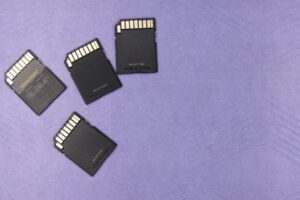
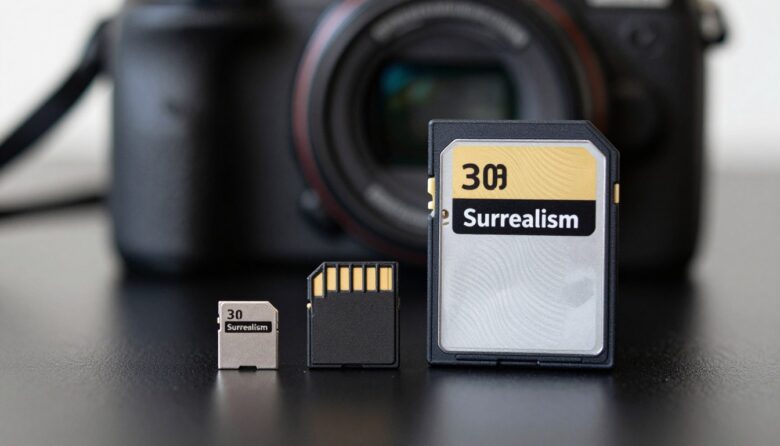
A full-size SD card is built to fit directly into the SD slot of a camera. A microSD card is much smaller and needs an adapter to fit the same slot. From the camera’s point of view, the adapter should make the microSD card appear like a normal SD card, but physically there are more contact points involved.
That extra layer is the main concern. A full-size SD card has one solid body touching the camera contacts. A microSD card in an adapter has the microSD contacts touching the adapter, and the adapter contacts touching the camera. If everything is clean and firm, this can work normally. If the adapter is cheap, bent, dusty, or worn out, the chance of a connection issue increases.
In normal daily use, many people use microSD cards with adapters without any problem. The risk becomes more important when the camera writes large files for a long time, such as 4K video, high frame rate clips, RAW bursts, or continuous event coverage.
| Card option | Best use | Main limitation |
|---|---|---|
| Full-size SD card | Regular camera use, professional shoots, long video sessions, RAW bursts | Less useful for devices that only accept microSD |
| microSD with adapter | Casual photography, travel backup, occasional camera use, sharing one card across devices | Depends on adapter quality and contact stability |
| microSD without adapter | Phones, drones, action cameras, compact devices with microSD slots | Cannot fit a full-size SD camera slot without an adapter |
Is a microSD Adapter Safe for a Camera?
Yes, a microSD adapter is generally safe for a camera when the card is compatible, the adapter is good quality, and the camera recognizes the card correctly. The adapter is not a battery, processor, or active converter in most common cases. It simply lets the camera connect to the smaller card through a full-size SD shape.
The safety concern is not usually that the adapter will damage the camera. The bigger concern is reliability. A weak adapter can create read or write errors, especially if it does not hold the microSD card tightly. In many cases, the first sign is a message such as “Card Error,” “Cannot access card,” “Recording stopped,” or a sudden drop in writing speed.
For a casual walk, family photos, or testing a camera, a clean and well-fitting adapter is usually fine. For paid work, travel where reshooting is impossible, or video where the camera writes nonstop, it is better to use a full-size SD card from a reliable brand that matches the camera manual.
- Use a microSD card and adapter from a reputable brand.
- Check that the adapter holds the microSD card firmly.
- Avoid adapters with cracked plastic, loose contacts, or bent edges.
- Format the card inside the camera before serious use.
- Test photo bursts and video recording before relying on the card.
- Back up files as soon as possible after shooting.
When a Full-Size SD Card Is the Better Choice
A full-size SD card is the better choice when reliability matters more than convenience. Cameras are often designed around full-size SD cards, and many camera manuals specify SD, SDHC, or SDXC cards rather than microSD cards with adapters. Even when an adapter works, using the card type directly intended for the slot reduces one possible failure point.
This matters most with demanding camera use. RAW burst shooting fills the buffer quickly and needs steady write performance. Long video recording also needs stable sustained writing, not just a high read speed printed on the package. A card may read quickly on a computer but still fail to keep up with the camera’s writing needs.
In practice, a full-size SD card is usually the simplest recommendation for mirrorless cameras, DSLRs, hybrid cameras, and camcorders. The card is easier to handle, harder to lose, and less dependent on a tiny removable adapter.
| Shooting situation | Recommended choice | Reason |
|---|---|---|
| Casual JPEG photos | microSD with adapter can be acceptable | Data writing is usually light and less demanding |
| RAW burst photography | Full-size SD | More reliable physical connection for repeated high-speed writes |
| Long 4K video recording | Full-size SD with proper video speed rating | Video requires sustained write performance without interruption |
| Paid client work | Full-size SD | Lower risk is more important than card-sharing convenience |
| Emergency backup card | microSD with adapter can be useful | Better than having no card if the adapter is tested |
Speed Ratings Matter More Than Card Size
The physical size of the card does not tell the whole story. A high-quality microSD card can be faster than an old or cheap full-size SD card. At the same time, a slow microSD card inside an adapter will still be slow, no matter how good the adapter is.
For cameras, the most important ratings are usually the speed class, UHS speed class, and video speed class. These markings help indicate minimum sustained write performance, which is especially important for video. For example, a camera that records high-bitrate 4K video may need a card marked V30, V60, or V90 depending on the camera’s requirements.
One common mistake is buying a card only because the package shows a very high read speed. Read speed helps when transferring files to a computer, but cameras need dependable write speed while capturing photos and videos. Before buying, check your camera manual and match or exceed the recommended card rating.
Common card markings beginners should understand
| Marking | What it means | Why it matters for cameras |
|---|---|---|
| C10 | Speed Class 10 | Basic minimum level for many older cameras and simple video modes |
| U1 | UHS Speed Class 1 | Usually suitable for lighter recording needs |
| U3 | UHS Speed Class 3 | Often recommended for higher bitrate video and faster cameras |
| V30 | Video Speed Class 30 | Common recommendation for many 4K recording modes |
| V60 or V90 | Higher Video Speed Classes | Used for more demanding professional video settings |
How to Test a microSD Adapter Before Using It
Never test a card for the first time during an important shoot. The safest approach is to test the microSD card and adapter in the exact camera you plan to use. Compatibility can vary, and a card that works in one device may not behave the same way in another.
The goal is not only to see whether the camera recognizes the card. You also want to check whether the camera can write photos and videos continuously without errors. A quick test with one photo is not enough for serious use.
-
Insert the microSD card fully into the adapter.
Make sure it sits flat and does not slide out easily. A loose fit can cause connection problems when the adapter is inserted or removed from the camera.
-
Check the adapter’s lock switch.
Many full-size SD adapters have a small lock switch on the side. If it is set to lock, the camera may not write to the card. Move it to the unlocked position before testing.
-
Insert the adapter gently into the camera.
Do not force it. If the adapter feels too tight, bent, or rough, remove it and inspect it. Forcing a damaged adapter into the slot may create a bigger problem.
-
Format the card in the camera menu.
This prepares the card using the camera’s expected file structure. Back up anything important first because formatting erases the files on the card.
-
Take a set of test photos.
Shoot single photos and then a short burst. Review the images in the camera to confirm they are saved and readable.
-
Record a test video at your real settings.
Use the same resolution, frame rate, and bitrate you plan to use later. A card that works for 1080p may not be reliable for a higher 4K setting.
-
Transfer the files to a computer.
Open several files and check that they are not corrupted. This confirms that the camera wrote the files and another device can read them properly.
Common Problems When Using a microSD Adapter
The most common problems are not dramatic. Usually, the camera simply refuses to read the card, stops recording, or asks you to format it. These issues can come from the card, the adapter, the camera slot, the file system, or an unsupported capacity.
A dirty or damaged contact can interrupt communication between the card and camera. A weak adapter can also shift slightly inside the camera slot. In some cases, the microSD card itself is fine, but the adapter is the unreliable part.
Another common issue is buying a counterfeit or misleading card. Some fake cards show a large capacity on a computer but fail when filled with real data. This can cause missing files, corrupted videos, or sudden card errors. For important work, buy from trusted retailers and avoid suspiciously cheap cards.
| Problem | Possible cause | What to check |
|---|---|---|
| Camera says card error | Adapter contact issue, unsupported card, or file system problem | Try another adapter, format in camera, and check camera compatibility |
| Video recording stops | Card write speed may be too low | Use a card with the video speed class recommended by the camera manual |
| Photos save slowly | Slow card or camera buffer limitation | Test with a faster card and compare burst performance |
| Files appear corrupted | Interrupted writing, fake card, or unsafe removal | Stop using the card, back up readable files, and test the card carefully |
| Card is read-only | Adapter lock switch is enabled or loose | Move the switch to unlocked or replace the adapter |
How to Choose the Right Card for Your Camera
The best card is not always the most expensive one. The right choice is the card that matches your camera’s supported format, capacity, bus type, and write speed needs. A camera that only supports UHS-I may not gain full benefit from an expensive UHS-II card, although the card may still work at a lower supported speed.
Start with the camera manual. Look for supported card types such as SDHC, SDXC, UHS-I, UHS-II, V30, V60, or V90. Then choose a card that meets or exceeds those requirements. For video, pay close attention to the sustained write rating, not only the maximum transfer speed.
If you are choosing between a full-size SD card and a microSD card with adapter at the same price and speed class, the full-size SD card is usually the cleaner choice for a camera. Choose microSD mainly when you need to use the same card in devices that require microSD, such as action cameras, drones, phones, or compact recorders.
- Check whether your camera supports SDHC, SDXC, or SDUC before buying a large-capacity card.
- Match the camera’s required speed class for video recording.
- Prefer full-size SD for important camera work.
- Use microSD with adapter only after testing it in the camera.
- Buy from trusted retailers to reduce the risk of counterfeit cards.
- Keep more than one card instead of depending on a single large card.
- Replace cards or adapters that show repeated errors.
When It Makes Sense to Use microSD With an Adapter
A microSD card with adapter makes sense when flexibility matters. For example, someone who uses a drone, action camera, dash camera, smartphone, and mirrorless camera may prefer carrying microSD cards that can move between different devices. In that situation, the adapter is convenient.
It can also be useful as an emergency backup. If your main SD card fails or becomes full, a tested microSD card with adapter is much better than stopping the shoot completely. Many photographers keep one in a camera bag for that reason.
The key word is tested. A random adapter found in a drawer should not be trusted for important photos without checking it first. If the adapter has been carried loose in a bag, exposed to dust, or used for years, replace it before relying on it.
When to Avoid a microSD Adapter
Avoid using a microSD adapter when the shoot is difficult to repeat. This includes weddings, paid sessions, travel moments, interviews, live events, sports, wildlife, or any situation where a recording failure would cause real damage. In these cases, reducing risk is more important than saving a few dollars or reusing a card from another device.
You should also avoid adapters that feel physically weak. If the microSD card does not click or sit firmly, the adapter is not worth using in a camera. Small movement inside the slot can be enough to cause errors during writing.
Another reason to avoid an adapter is heat and long recording. Some cameras and cards become warm during extended video recording. A full-size SD card has more physical space and is often the preferred choice for camera workflows that involve long continuous writing.
When to Contact Support or Get Professional Help
Contact the camera manufacturer’s support or check the official manual if your camera repeatedly shows card errors with multiple cards. The issue may be a dirty slot, damaged contacts, firmware compatibility, or a card type the camera does not support.
If the card contains important files and starts showing errors, do not keep recording on it. Continuing to write new data can make recovery harder. Remove the card, protect it from further use, and copy whatever can still be copied. For highly valuable files, a professional data recovery service may be safer than experimenting with random software.
If an adapter breaks or gets stuck in the camera slot, do not force it out with metal tools. That can damage the camera’s internal contacts. In that situation, a camera repair technician is the safer option.
Conclusion
microSD vs full-size SD comes down to reliability, not only storage capacity. A microSD card with an adapter can be safe for a camera when the adapter is good, the card is compatible, and the setup has been tested. For casual use, it is often acceptable.
For important photography or demanding video, a full-size SD card is usually the safer choice because it removes the extra adapter connection and is designed to fit the camera slot directly. The best card should match your camera manual, speed requirements, and real shooting needs.
Before trusting any card, format it in the camera, test it with the same settings you plan to use, and back up your files quickly. If you see repeated card errors, stopped recordings, or corrupted files, replace the card or adapter and check official support before using it again.
FAQ
1. Can I use a microSD card in a DSLR or mirrorless camera?
Yes, you can use a microSD card in many DSLR or mirrorless cameras if the camera has a full-size SD slot and you use a compatible SD adapter. However, it is better to test the card before important use. The camera must support the card’s capacity and format, such as SDHC or SDXC. For casual photos, it may work fine. For professional shoots, RAW bursts, or long video recording, a full-size SD card is usually safer because it avoids the extra physical connection created by the adapter.
2. Does an SD adapter reduce microSD card speed?
In most normal cases, the adapter itself does not intentionally reduce speed because it works mainly as a physical connector. The actual speed depends on the microSD card, the camera, and the supported bus type. However, a poor-quality or damaged adapter can cause unstable contact, which may appear as slow writing, recording errors, or card failure. For demanding video or fast burst photography, the safest approach is to use a high-quality card and adapter or choose a full-size SD card that matches the camera’s requirements.
3. Is a full-size SD card more reliable than microSD with an adapter?
For camera use, a full-size SD card is usually considered more reliable because it fits directly into the camera slot without an extra removable layer. A microSD card with an adapter can work well, but there are two contact points involved: microSD to adapter, and adapter to camera. If either connection becomes loose, dirty, or worn, errors can happen. This does not mean adapters are unsafe, but for important shoots, a full-size SD card is usually the better low-risk option.
4. Can a microSD adapter damage my camera?
A normal, undamaged microSD adapter should not damage your camera when inserted correctly. The risk increases if the adapter is cracked, bent, too tight, or forced into the slot. A low-quality adapter may also have rough edges or a loose lock switch. If the adapter does not slide in smoothly, do not force it. Inspect it carefully and use another adapter. If an adapter becomes stuck in the camera, it is safer to contact a camera repair technician rather than pulling aggressively.
5. Why does my camera say card error when using a microSD adapter?
A card error can happen for several reasons. The adapter may not be making proper contact, the microSD card may be unsupported by the camera, the card may need to be formatted in the camera, or the card may be damaged or counterfeit. The lock switch on the adapter may also be in the wrong position. Try a different adapter, back up your files, format the card in the camera, and check the camera manual for supported card types and capacities. If the problem continues, use a different card.
6. Is microSD good enough for 4K video in a camera?
A microSD card can be good enough for 4K video if it has the correct sustained write speed rating and the camera supports it through the adapter. Look for the video speed class required by your camera, such as V30, V60, or V90, depending on the recording mode. The important detail is not just that the card says “4K” on the package, but whether it can maintain the write speed your camera needs. For long or paid video work, a full-size SD card is still usually safer.
7. Should I format a microSD card in the camera?
Yes, it is usually best to format the card in the camera you plan to use, after backing up any important files. Formatting in the camera helps create the file structure the camera expects. This can reduce compatibility issues compared with using a card that was last formatted in a phone, drone, computer, or another camera. Formatting will erase files on the card, so always copy your photos and videos first. If the camera cannot format the card, the card may not be compatible or may be failing.
8. Can I use the same microSD card in my phone, drone, and camera?
You can, but it is not always ideal. Different devices may create different folders, file systems, and recording patterns. Moving one card between a phone, drone, and camera can increase the chance of confusion or file management problems. It is safer to back up the card and format it in the device you are about to use. For important camera work, using a dedicated card for the camera is usually better. If you must share one card, test it carefully in each device first.
9. What is the best card type for wedding or event photography?
For weddings, events, and paid sessions, a reliable full-size SD card is usually the better choice if your camera uses an SD slot. Choose a card from a reputable brand, match the camera’s recommended speed class, and avoid using an old adapter as your main recording setup. If your camera has dual card slots, consider recording backups to both cards when possible. Also avoid relying on one huge card for the entire event. Rotating cards and backing up files quickly can reduce the impact of a failure.
10. How do I know if my microSD card is fake?
Warning signs include a price that seems too low, strange packaging, spelling errors, poor print quality, unreliable capacity, slow performance, or files disappearing after the card becomes partly full. Fake cards may show a large capacity on a computer but fail when real data is written. To reduce risk, buy from trusted retailers and avoid unknown sellers. Before using a card for important work, fill-test it with non-critical files or use trusted testing software on a computer, then format it in the camera.
11. Is UHS-I or UHS-II important when choosing a card?
Yes, but only if your camera supports the bus type. UHS-II cards have an extra row of contacts and can support faster transfer in compatible devices. If your camera only supports UHS-I, a UHS-II card may still work, but it may not reach its full speed in that camera. For many users, choosing the correct sustained write rating is more important than buying the fastest card available. Check your camera manual before spending extra money on a card speed your camera cannot fully use.
12. What should I do if a card fails during shooting?
Stop using the card immediately. Do not keep taking photos or recording video on the same card because new data can overwrite or complicate recovery. Turn off the camera, remove the card carefully, and try to copy readable files to a computer. If the files are very important, consider professional data recovery instead of trying many random repair tools. After recovery, do not trust the same card or adapter again for serious work unless you have fully tested it and found a clear, fixable cause.
Editorial note: This article is for educational purposes and does not replace your camera manufacturer’s manual, official support guidance, or professional data recovery advice when important files are at risk.
Official References
- SD Association — Speed Class
- SD Association — Capacity SD, SDHC, SDXC and SDUC
- SD Association — Bus Speed Standards
- SD Association — SD Memory Card Formatter

Marcus Hale is the founder of Priwoo StorageLab and a long-time camera storage enthusiast. After losing a full shoot to a corrupted card, he became obsessed with understanding how memory media really works. He now spends his time testing cards, breaking down storage specs, and helping photographers and videographers avoid data loss.