Choosing the best CFexpress Type A cards for Sony Alpha cameras is not only about buying the fastest card on the shelf. The right choice depends on your camera model, video settings, burst shooting needs, file transfer workflow, and how much capacity you realistically need during a full day of shooting.
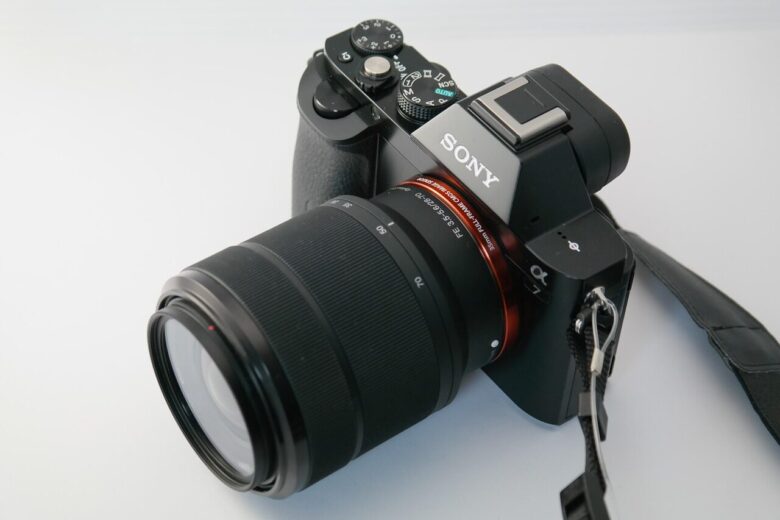
Sony Alpha cameras that support CFexpress Type A cards are often used for demanding photo and video work, including high-resolution RAW bursts, 4K high-frame-rate recording, 8K capture on select bodies, and professional hybrid workflows. In those situations, a slow or poorly matched card can interrupt recording, reduce buffer performance, or create unnecessary delays when offloading files.
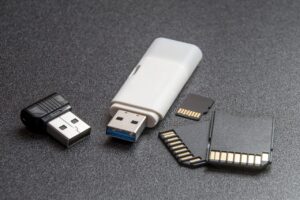
The confusing part is that CFexpress Type A looks similar in size to SD cards, but it is not the same technology. It is also different from CFexpress Type B, which is used by many Canon, Nikon, Panasonic, and cinema camera systems. A CFexpress Type B card will not fit into a Sony Alpha Type A slot.
For most Sony Alpha users, the best card is not always the most expensive one. A wedding photographer, a wildlife shooter, a travel creator, and a filmmaker recording long takes may all need different capacities and speed guarantees. This guide explains how to compare the strongest CFexpress Type A options without wasting money on specifications you may never use.
Before buying, pay close attention to sustained write speed, VPG certification, capacity, heat behavior, reader compatibility, and warranty support. Peak read speed looks impressive in marketing, but sustained write performance is usually more important when recording demanding video or clearing large bursts.
Important note: always confirm card compatibility in your Sony camera manual or official Sony support page before buying. Recording requirements can vary by camera model, firmware version, codec, frame rate, and memory card capacity.
Why Sony Alpha Cameras Use CFexpress Type A Cards
CFexpress Type A is a compact high-speed memory card format designed for devices that need faster performance than conventional SD cards can usually provide. In the Sony Alpha system, it is used in several advanced mirrorless bodies because it allows high data throughput while keeping the card slot compact.
The main advantage is speed under pressure. When a Sony Alpha camera records high-bitrate video or captures long bursts of RAW images, the card needs to accept data quickly and consistently. If the card cannot keep up, the camera may stop recording, slow down burst capture, or require a lower recording setting.
Another practical advantage is slot flexibility. Many compatible Sony Alpha cameras use dual-purpose slots that can accept either CFexpress Type A cards or SD cards. This gives photographers the option to use affordable SD cards for casual work and CFexpress Type A cards for demanding jobs.
However, that flexibility can also create confusion. A fast UHS-II SD card may be enough for many photo sessions and basic video modes, but it may not unlock every high-end recording option. CFexpress Type A is most useful when the camera settings demand higher sustained write performance.
| Card format | Best use in Sony Alpha cameras | Main limitation |
|---|---|---|
| UHS-II SD | General photography, travel, casual video, backup slot use | May not support every high-bitrate or high-frame-rate mode |
| CFexpress Type A | Professional video, long RAW bursts, fast buffer clearing, demanding hybrid work | More expensive and less widely available than SD cards |
| CFexpress Type B | Used by many non-Sony professional camera systems | Not physically compatible with Sony Alpha Type A slots |
Best CFexpress Type A Cards for Sony Alpha Cameras
The best CFexpress Type A cards for Sony Alpha cameras are usually the ones that combine reliable sustained write speed, suitable capacity, heat control, and proven compatibility. Peak speed matters, but it should not be the only deciding factor.
For most demanding Sony Alpha users, cards with VPG400 certification are the safest starting point. VPG400 means the card is designed to maintain a minimum video write performance of 400 MB/s under the Video Performance Guarantee standard. This does not automatically make every card perfect for every camera mode, but it is a useful signal when comparing professional cards.
Newer CFexpress Type A 4.0 cards can advertise much higher maximum speeds than older Type A 2.0 cards. That extra speed can be useful for offloading files through a fast reader and modern computer, but in-camera performance still depends on what the camera body itself can use.
| Card option | Best for | What to check before buying |
|---|---|---|
| Lexar Professional GOLD CFexpress 4.0 Type A | High-end speed, large capacities, fast offloads | Confirm capacity-specific sustained write rating |
| Sony TOUGH CFexpress Type A CEA-G Series | Native Sony ecosystem, strong build, dependable compatibility | Check availability and current price in your region |
| ProGrade Digital CFexpress Type A Cobalt | Professional video users who value sustained performance | Confirm VPG rating and exact generation |
| Angelbird AV PRO CFexpress Type A | Creators who want strong video-focused reliability | Check camera compatibility list and firmware notes |
| Delkin BLACK CFexpress Type A | Mission-critical work, warranty support, professional shoots | Compare sustained write rating, not only read speed |
| Nextorage CFexpress Type A Pro models | Sony-focused workflows and high-performance recording | Verify model number, capacity, and VPG class |
How to Choose the Right Card for Your Sony Alpha Workflow
The right card depends on what you actually shoot. A photographer using a Sony Alpha body mostly for portraits does not need the same card strategy as a filmmaker recording long 4K 120p clips or a wildlife shooter filling the buffer with fast RAW bursts.
For still photography, burst depth and buffer clearing matter most. A faster card helps the camera become ready again sooner after a long burst. This is useful for sports, wildlife, events, and weddings, where missing the next moment can be more costly than the price difference between cards.
For video, sustained write speed is the key specification. Video is a continuous stream of data, so the card must keep writing consistently. A card with high peak speed but weak sustained performance may look attractive on paper but can be less reliable for demanding recording formats.
-
Check your camera model first.
Confirm that your Sony Alpha camera supports CFexpress Type A cards. Some Sony cameras use only SD cards, while others have dual-purpose slots. Do not assume compatibility based only on the camera being part of the Alpha line.
-
Identify your most demanding recording mode.
Look at the highest video setting or fastest burst mode you realistically use. Buying for your actual workflow is better than buying only for the biggest number on the card label.
-
Prioritize sustained write speed for video.
If you shoot high-bitrate video, choose a card with a clear sustained write rating or VPG certification. Avoid judging video reliability only by maximum read speed.
-
Choose capacity based on job length.
For short sessions, 160GB or 320GB may be enough. For weddings, interviews, documentary work, travel, or 8K projects, larger cards can reduce interruptions and card swaps.
-
Buy a matching reader.
A fast card will not offload quickly if the reader or computer port is slow. For large files, use a CFexpress Type A reader that supports the speed your card can deliver.
-
Test before paid work.
Record in your most demanding settings, fill part of the card, and offload the files before using a new card on an important job. This helps catch compatibility or workflow issues early.
Recommended Capacity by Type of Sony Alpha User
Capacity is one of the easiest places to overspend. Larger cards are convenient, but they also concentrate more footage or photos on a single piece of media. Smaller cards are cheaper and reduce the risk of losing a full day of work on one card, but they require more frequent swaps.
For photography, the right capacity depends on file size and shooting style. A high-resolution Sony Alpha camera shooting uncompressed RAW will fill cards much faster than a lower-resolution body shooting compressed RAW or JPEG. For video, codec, frame rate, bit depth, and resolution can change storage needs dramatically.
A practical approach is to own at least two cards instead of relying on one large card. This gives you backup flexibility, allows rotation during long shoots, and reduces downtime if one card needs to be offloaded or checked.
| User type | Suggested capacity range | Practical reason |
|---|---|---|
| Casual hybrid shooter | 160GB to 320GB | Enough for short photo sessions and moderate video clips |
| Wedding or event photographer | 320GB to 640GB | Better for long days, RAW bursts, and fewer card changes |
| Wildlife or sports photographer | 320GB to 640GB | Useful for fast bursts and frequent high-speed sequences |
| Professional video creator | 640GB to 1TB or more | Reduces interruptions during long high-bitrate recording sessions |
| Travel creator | Two or more mid-size cards | Safer than storing an entire trip on one card |
Checklist Before Buying a CFexpress Type A Card
Before spending money, it helps to check the details that affect real-world use. The most common buying mistake is choosing a card only because it has a high maximum read speed, then discovering that the sustained write rating, capacity, or reader setup does not match the workflow.
Another common issue is assuming all capacities in the same card series perform identically. In many memory card families, higher-capacity versions can have better sustained write performance than smaller versions. Always check the exact capacity, not only the product line name.
- Confirm your Sony Alpha camera supports CFexpress Type A cards.
- Check the exact recording modes you plan to use.
- Prioritize VPG400 or a clearly stated sustained write speed for demanding video.
- Compare capacity-specific specifications before buying.
- Make sure the card is CFexpress Type A, not Type B.
- Buy from a reliable seller to reduce the risk of counterfeit cards.
- Check warranty terms and replacement policy.
- Use a compatible CFexpress Type A reader for fast offloads.
- Test the card in-camera before using it for paid work.
Common Mistakes When Buying CFexpress Type A Cards
One of the biggest mistakes is buying CFexpress Type B by accident. The names are similar, but the cards are physically different. A Type B card will not fit into a Type A slot, even if the advertised speed looks better.
Another mistake is overpaying for speed that the camera cannot fully use. A newer CFexpress 4.0 Type A card may offload files faster with a matching reader, but the in-camera benefit depends on the camera body. For many users, a reliable VPG400 Type A card may be more important than chasing the highest peak read number.
Some buyers also ignore heat and long-recording behavior. Video recording can stress a card for a long time, especially in warm environments. If you shoot interviews, events, concerts, or documentary footage, prioritize cards with strong sustained performance and a good reputation for reliability.
| Mistake | Why it matters | Better approach |
|---|---|---|
| Buying Type B instead of Type A | The card will not fit the camera slot | Check the exact card format before purchase |
| Looking only at read speed | Read speed mainly affects offloading, not recording reliability | Check sustained write speed and VPG rating |
| Buying one huge card only | A single failure or loss can affect an entire shoot | Use multiple cards and rotate them |
| Ignoring card readers | Slow readers create bottlenecks during file transfers | Use a reader that matches your card and computer port |
| Skipping pre-shoot testing | Problems may appear during important work | Test new cards in your real camera settings |
Best Card Strategy for Professional Sony Alpha Shoots
For professional work, the safest strategy is usually not one card, but a small card system. That means using multiple reliable cards, labeling them clearly, rotating them during the shoot, and backing up files as soon as practical.
If your camera supports simultaneous recording to two slots, consider using the second slot for backup when the recording mode allows it. This can be useful for weddings, interviews, corporate work, and documentary shoots where the footage cannot be repeated.
For demanding video, use cards with proven sustained write performance. For demanding stills, choose cards that help the buffer clear quickly and reduce waiting time between bursts. For travel, balance capacity with risk by carrying several medium-to-large cards instead of one oversized card.
- Carry at least two tested CFexpress Type A cards for important work.
- Label cards physically or with a card wallet system.
- Format cards in the camera after files are safely backed up.
- Do not delete individual files in-camera during a job unless necessary.
- Keep full cards separate from empty cards.
- Use a fast reader and a reliable backup drive after the shoot.
- Avoid filling cards to the absolute limit during critical work.
- Retire cards that show repeated errors or unusual behavior.
When a UHS-II SD Card Is Still Enough
Not every Sony Alpha user needs CFexpress Type A cards immediately. A high-quality UHS-II SD card can still be a smart choice for general photography, casual video, travel, family work, and lower-bitrate recording modes.
If you rarely shoot long bursts or high-bitrate video, spending the same budget on multiple reliable SD cards may be more practical. SD cards are cheaper, easier to find, and widely compatible with laptops, readers, and other devices.
The point where CFexpress Type A becomes more attractive is when the camera asks for faster media, your buffer slows your work, or your video settings become too demanding for SD. In that case, the upgrade is not about luxury; it is about removing a real workflow limitation.
| Situation | SD card may be enough | CFexpress Type A is better |
|---|---|---|
| Portrait photography | Yes, in most cases | If shooting long RAW bursts frequently |
| Travel photography | Yes, for many users | If combining heavy video and RAW files |
| Wildlife and sports | Sometimes | Useful for burst-heavy shooting |
| High-bitrate video | Depends on the mode | Often the safer option |
| Professional hybrid work | Useful as backup media | Recommended for demanding settings |
When to Contact Sony Support or the Card Manufacturer
You should contact Sony support or the card manufacturer if your camera rejects a card, stops recording unexpectedly, shows media errors, or does not unlock a recording mode that should be available. These issues can come from compatibility, firmware, card condition, counterfeit media, or incorrect formatting.
Before contacting support, test carefully. Format the card in-camera, update the camera firmware if appropriate, try a different compatible card, and check whether the issue appears in only one recording mode. This helps separate a card problem from a camera setting problem.
If the card is used for paid work and shows repeated errors, do not keep using it just because it works sometimes. Replace it or send it for warranty evaluation. A memory card is cheaper than losing client footage, travel material, or once-in-a-lifetime event photos.
Conclusion
The best CFexpress Type A cards for Sony Alpha cameras are the cards that match your real shooting demands, not simply the cards with the highest advertised speed. For demanding video and professional hybrid work, prioritize sustained write performance, VPG certification, capacity, reliability, and support.
For most serious Sony Alpha users, a reliable VPG400 CFexpress Type A card from a trusted brand is a strong starting point. Newer CFexpress Type A 4.0 cards can be excellent for fast offloads and future-ready workflows, but they only make sense if the price, capacity, and reader setup fit your needs.
Before buying, confirm compatibility with your exact camera model, test the card in your most demanding settings, and keep a backup card strategy. If the camera shows media errors or recording limitations, check Sony support or the card manufacturer before using that card on important work.
FAQ
1. Do all Sony Alpha cameras support CFexpress Type A cards?
No. Only specific Sony Alpha cameras support CFexpress Type A cards. Some Sony Alpha models use SD cards only, while others have dual-purpose slots that can accept CFexpress Type A or SD cards. Always check the official manual or Sony support page for your exact model. The name “Alpha” alone is not enough to confirm compatibility, because Sony uses that branding across many different camera levels and generations.
2. Can I use CFexpress Type B cards in a Sony Alpha Type A slot?
No. CFexpress Type A and CFexpress Type B are different physical formats. Type B cards are larger and will not fit into a Sony Alpha slot designed for Type A cards. This is a common mistake because Type B cards often advertise higher speeds and may appear in search results when looking for CFexpress cards. For compatible Sony Alpha bodies, you must buy CFexpress Type A cards specifically.
3. Is CFexpress Type A always better than a UHS-II SD card?
Not always. CFexpress Type A is faster and better suited for demanding video modes, long RAW bursts, and professional hybrid work. However, a good UHS-II SD card can still be enough for general photography, travel, portraits, and less demanding video settings. The better choice depends on your camera model and recording settings. If your current SD card does not limit your workflow, CFexpress Type A may not be urgent.
4. What does VPG400 mean on a CFexpress Type A card?
VPG400 refers to a video performance guarantee class that indicates the card is designed to sustain a minimum write performance of 400 MB/s for video recording. This is especially useful when comparing cards for high-bitrate video work. It does not guarantee that every camera mode will work on every camera, but it is a strong sign that the card is designed for demanding recording conditions.
5. Should I buy the fastest CFexpress Type A 4.0 card?
A CFexpress Type A 4.0 card can be a great choice, especially if you transfer large files often and have a fast compatible reader. However, the fastest card is not always necessary in-camera. Some Sony Alpha bodies may not fully use the highest peak speeds. If your priority is recording reliability, compare sustained write speed, VPG rating, warranty, capacity, and real compatibility instead of buying only by maximum read speed.
6. What capacity is best for Sony Alpha video work?
For serious video work, 640GB or 1TB can be more practical than smaller capacities because high-bitrate footage can fill cards quickly. For shorter shoots, 320GB may be enough. The best capacity depends on codec, resolution, frame rate, bit depth, and how long you record before offloading. Professional users often prefer multiple cards instead of one large card because it improves rotation and reduces risk.
7. Are Sony TOUGH CFexpress Type A cards worth it?
Sony TOUGH CFexpress Type A cards are attractive for users who want a card designed for the Sony ecosystem and strong physical durability. They are often chosen by professionals who value dependable compatibility and rugged build quality. However, they can be expensive, and availability may vary by region. Compare them with Lexar, ProGrade Digital, Angelbird, Delkin, and Nextorage options before deciding.
8. Why does sustained write speed matter more than read speed?
Read speed mainly affects how quickly you can transfer files from the card to a computer. Sustained write speed affects how reliably the card can record continuous data from the camera, especially during demanding video capture. A card with a high maximum read speed but weak sustained write performance may still disappoint in professional recording situations. For video, sustained write performance is one of the most important specifications.
9. Can a CFexpress Type A card improve burst shooting?
Yes, a fast CFexpress Type A card can help the camera clear its buffer more quickly after long bursts, depending on the camera model and file type. This is useful for wildlife, sports, weddings, and action photography. It does not necessarily increase the camera’s maximum frames per second, but it can reduce the time you wait before the camera is fully ready for another burst.
10. Do I need a special reader for CFexpress Type A cards?
Yes. You need a reader that specifically supports CFexpress Type A. An SD card reader will not read CFexpress Type A cards, even though the cards are compact. For best results, use a reader with a fast USB-C connection and make sure your computer port is also fast enough. Otherwise, your expensive high-speed card may transfer files much more slowly than expected.
11. How can I avoid fake CFexpress Type A cards?
Buy from trusted retailers, official brand stores, or authorized dealers whenever possible. Be careful with prices that seem far below the normal market range, especially for high-capacity cards. After purchase, test the card in your camera, check capacity, record in demanding settings, and verify file transfers. Counterfeit or unreliable cards can cause recording failures, corrupted files, or suspiciously slow performance.
12. Should I format CFexpress Type A cards in the camera?
Yes. For normal use, it is best to format the card inside the Sony camera that will record to it, after your files are safely backed up. Formatting in-camera helps create the file structure the camera expects. Avoid formatting on random computers before important shoots unless you know exactly what you are doing. If a card repeatedly shows errors after in-camera formatting, stop using it for critical work.
Editorial note: this article is educational and should not replace the official compatibility information from Sony or the memory card manufacturer. Camera firmware, recording modes, card specifications, and product availability can change, so confirm critical details before buying media for professional work.
Official References
- CompactFlash Association — CFexpress and memory card standards information
- Sony Support — Camera help guides and recording media compatibility
- Lexar — Official memory card product information
- ProGrade Digital — Official memory card product information
- Angelbird — Official professional media product information

Marcus Hale is the founder of Priwoo StorageLab and a long-time camera storage enthusiast. After losing a full shoot to a corrupted card, he became obsessed with understanding how memory media really works. He now spends his time testing cards, breaking down storage specs, and helping photographers and videographers avoid data loss.