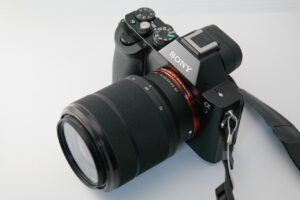

CFexpress Type A vs. Type B is one of the most important comparisons for photographers and video creators who are moving beyond SD cards and older storage formats. Both card types belong to the CFexpress family, both are designed for high-speed professional workflows, and both use modern storage technology based on PCIe and NVMe. The real difference is not only speed, but also card size, camera compatibility, heat behavior, sustained write performance, and long-term cost.
The confusion usually starts because the names sound similar. A beginner may assume Type A and Type B are two versions of the same card, but they are physically different formats. A Type A card will not fit into a Type B slot, and a Type B card will not fit into a Type A slot. Choosing the wrong type is not a small inconvenience; it means the card simply will not work with your camera.
The speed conversation also needs context. A card can advertise very high read speed, but video recording depends much more on sustained write speed. For example, transferring files to a computer is not the same thing as recording 8K video, RAW video, or long bursts of high-resolution still images. A fast-looking card on paper may still fail if it cannot maintain stable write performance inside the camera.
In simple terms, CFexpress Type A is smaller and often used where compact camera design matters. CFexpress Type B is larger, more common across professional camera systems, and usually offers higher performance for the price. The best choice depends less on which format looks faster in theory and more on what your camera supports and what kind of work you actually shoot.
This guide explains the differences in a practical way, including speed limits, compatibility, video recording needs, workflow considerations, common mistakes, and how to choose the right card without spending more than necessary.
Important note: before buying a CFexpress card, always check your camera manual, the manufacturer’s approved media list, and the exact recording mode you plan to use. Speed labels, card type names, and compatibility claims can vary between brands, capacities, firmware versions, and camera models.
CFexpress Type A vs. Type B: the practical difference
The simplest way to understand the difference is this: CFexpress Type A is the smaller format, while CFexpress Type B is the faster and more widely adopted professional format in many camera systems. Both are CFexpress cards, but they are not interchangeable because the physical size, connector layout, and number of PCIe lanes are different.
Type A cards are compact, measuring about 20.0 mm × 28.0 mm × 2.8 mm. They use one PCIe lane. This makes them useful in cameras where space is limited, especially compact hybrid cameras that need a high-speed card while still keeping the body small. In many real-world cases, Type A is attractive because some camera slots are designed to accept both CFexpress Type A and SD cards, depending on the camera model.
Type B cards are larger, measuring about 38.5 mm × 29.8 mm × 3.8 mm. They use two PCIe lanes, which gives them more bandwidth potential. That extra bandwidth is one reason Type B became popular in high-end cameras that record demanding codecs, long bursts, high-resolution RAW files, and intensive video formats.
| Feature | CFexpress Type A | CFexpress Type B |
|---|---|---|
| Physical size | Smaller and closer to SD card dimensions | Larger and closer to the XQD card form factor |
| PCIe lanes | One lane | Two lanes |
| Typical strength | Compact camera design and hybrid slots | Higher bandwidth and broader pro-camera adoption |
| Common use case | Hybrid photo and video cameras where small card size matters | High-resolution stills, demanding video, RAW workflows, and faster offloading |
| Interchangeability | Does not fit Type B slots | Does not fit Type A slots |
A useful way to think about the choice is not “Which card is better?” but “Which card format did the camera system build around?” If your camera uses Type A, you need Type A. If your camera uses Type B, you need Type B. After that, the real shopping decision is about capacity, sustained write speed, VPG rating, brand reliability, reader speed, and budget.
How CFexpress became the new standard in speed
CFexpress is faster than older memory card formats because it is based on technologies that are also used in modern computer storage: PCIe for data transfer and NVMe for efficient communication between the card and the host device. In simple language, CFexpress behaves more like a tiny removable SSD than a traditional camera memory card.
Older card formats such as SD UHS-I, SD UHS-II, CFast, and XQD were useful for their time, but camera files have grown much larger. High-megapixel sensors, fast continuous shooting, 4K video, 6K video, 8K video, RAW video, high-bitrate codecs, and professional color workflows all create pressure on the memory card. When the camera buffer fills up faster than the card can write, the camera slows down, stops recording, or limits certain modes.
CFexpress was designed to handle that pressure more efficiently. Instead of relying only on older storage interfaces, it uses a more scalable architecture. Type A, Type B, and Type C exist because the CFexpress standard can use different physical sizes and different numbers of PCIe lanes. For most photographers and filmmakers, the practical debate is between Type A and Type B because those are the formats seen most often in modern cameras.
| CFexpress version and type | Approximate theoretical bandwidth | What it means in practice |
|---|---|---|
| CFexpress 2.0 Type A | Up to about 1 GB/s | Fast enough for many advanced hybrid cameras, depending on codec and sustained write speed |
| CFexpress 2.0 Type B | Up to about 2 GB/s | Common in professional cameras that need higher bandwidth for bursts and demanding video |
| CFexpress 4.0 Type A | Up to about 2 GB/s | Can bring Type A closer to earlier Type B performance levels, if the camera and reader support it |
| CFexpress 4.0 Type B | Up to about 4 GB/s | Offers very high transfer potential for heavy production workflows and faster offloading |
These numbers are theoretical interface limits, not guaranteed real-world recording speeds. The actual result depends on the card controller, NAND quality, thermal design, capacity, camera firmware, file format, and card reader. This is why one Type B card can behave very differently from another Type B card, even if both cards have similar maximum read speed printed on the label.
Why advertised speed is not the only number that matters
Memory card marketing often highlights maximum read speed because it looks impressive. Read speed is useful when copying files from the card to a computer, but it does not tell the full story. For shooting video or long photo bursts, write speed is more important. More specifically, sustained write speed is the number that matters most for demanding camera work.
Maximum write speed usually describes a short peak. Sustained write speed describes how fast the card can continue writing over time. A card may briefly reach a high speed but then slow down because of heat, controller limits, internal cache behavior, or capacity differences. In real-world video recording, that slowdown can be the difference between stable recording and a stopped clip.
For this reason, video creators should pay attention to VPG ratings when available. VPG means Video Performance Guarantee and indicates a minimum sustained write performance class. A VPG400 card, for example, is designed to guarantee at least 400 MB/s sustained write performance under the conditions defined by that rating. Newer high-end cards may show higher VPG classes, but the camera must also support and require the relevant performance level.
- Check the card type required by your camera: Type A and Type B are not interchangeable.
- Check the recording mode you actually use, not only the camera model name.
- Prioritize sustained write speed for video and long bursts.
- Use maximum read speed mainly to estimate file transfer speed to your computer.
- Look for VPG ratings when shooting high-bitrate video or RAW video.
- Confirm compatibility in the camera manual or official approved media list.
A practical example: a photographer who mainly shoots portraits may care more about capacity and reliable burst performance than the highest possible video rating. A filmmaker recording high-bitrate 8K footage may need a specific VPG class or a card listed by the camera manufacturer. The label “fast” is not enough; the card must be fast in the specific way your workflow requires.
Camera compatibility: the decision starts with the slot
The first rule is simple: buy the card type your camera slot requires. If your camera has a CFexpress Type A slot, you need Type A. If it has a CFexpress Type B slot, you need Type B. No amount of speed, brand reputation, or price discount can overcome physical incompatibility.
Many cameras that use CFexpress Type A are designed around compact hybrid workflows. Type A has been especially associated with certain Sony Alpha and Cinema Line cameras, although the exact supported card types depend on the model. Some cameras use slots that can accept either CFexpress Type A or SD cards, which gives flexibility when the user does not always need the fastest media.
CFexpress Type B is common across many professional camera systems, including models from brands that prioritize high-speed stills, RAW video, and robust media pipelines. Type B is also related to the XQD form factor, which is why some cameras originally designed for XQD later gained CFexpress Type B support through firmware updates. However, that does not mean every XQD slot automatically supports CFexpress; firmware and manufacturer support matter.
| Situation | What to verify | Why it matters |
|---|---|---|
| Your camera has a Type A slot | Whether the slot also accepts SD cards and which recording modes require CFexpress | You may not need CFexpress for every job, but some modes may require it |
| Your camera has a Type B slot | Approved Type B cards, capacity limits, and firmware requirements | Some demanding modes may work only with specific cards |
| Your camera has an XQD slot | Whether official firmware adds CFexpress Type B support | XQD shape similarity does not guarantee CFexpress compatibility |
| You shoot with two card slots | Whether both slots support the same speed and card type | The slower slot can limit backup recording or relay recording |
| You use external recorders | Whether media requirements come from the recorder, not only the camera | The external recording device may have its own approved media list |
A common mistake is buying a card based on a YouTube recommendation without checking whether the reviewer used the same camera, firmware, codec, frame rate, and capacity. Compatibility is specific. A card that works perfectly for compressed 4K may not be approved for internal RAW or high-frame-rate recording.
When Type A makes more sense
CFexpress Type A makes the most sense when your camera system requires it and when you value a compact body, flexible media options, or a workflow that does not need the highest Type B bandwidth. For many hybrid shooters, Type A can be more than fast enough, especially for photography, 4K video, and selected high-quality internal recording modes supported by the camera.
The main advantage of Type A is not that it beats Type B in raw speed. Its advantage is size and camera design flexibility. In cameras where body space is limited, a smaller high-speed card can help manufacturers build smaller cameras without relying only on SD cards. This is especially useful for creators who want a compact camera but still need stronger media performance than standard SD cards can provide.
The downside is cost and availability. Type A cards are often more expensive per gigabyte than Type B cards, partly because fewer camera systems use them. The market is smaller, so there may be fewer capacity options and fewer aggressive price drops. If you shoot long events, interviews, weddings, or travel footage, the cost of carrying several Type A cards can become a real workflow expense.
- Choose Type A if your camera requires CFexpress Type A for the modes you use.
- Consider Type A if you value compact camera design and media flexibility.
- Check whether your camera can use SD cards for lighter shooting days.
- Compare price per gigabyte before buying multiple cards.
- Avoid assuming every Type A card supports every high-end video mode.
- Use official compatibility lists for demanding codecs and long recording sessions.
Type A is a smart choice when it fits the camera ecosystem you already own. It is not the budget champion, but it can be the right tool for compact professional cameras where SD cards are not always fast enough and Type B would require a larger card slot.
When Type B makes more sense
CFexpress Type B makes more sense when your camera supports it and your work benefits from higher bandwidth, larger capacities, faster offloading, and broader card availability. For many professional photo and video workflows, Type B offers the stronger balance of speed, price, capacity, and market support.
The two-lane design gives Type B more performance headroom than Type A within the same CFexpress generation. This is especially valuable when shooting high-resolution RAW stills, long bursts, high-bitrate video, RAW video, 8K workflows, or productions where the card is being pushed for long periods. Type B cards also tend to have more room for thermal design, although actual heat behavior still depends on the card model and camera body.
Another practical advantage is ecosystem size. There are many Type B cards, readers, capacities, and performance tiers available. That gives buyers more choice. You can often find entry-level Type B cards for basic use, mid-range cards for hybrid work, and high-end VPG-rated cards for demanding video. This wider selection can make Type B more cost-effective, especially for creators who need several cards.
| Type B advantage | Best for | Careful with |
|---|---|---|
| Higher bandwidth potential | High-resolution bursts, RAW video, and fast transfers | Not every card reaches the highest speeds in real use |
| More card options | Users comparing capacity, price, and performance tiers | Very cheap cards may have weak sustained write speed |
| Large-capacity availability | Events, documentaries, wildlife, sports, and long shooting days | Larger cards can increase risk if all footage is kept on one card |
| Fast offloading with the right reader | Studios and creators handling large daily file volumes | The reader and computer port can become the bottleneck |
Type B is often the safer choice for heavy professional workflows when the camera supports it. The only major limitation is that it is physically larger, so it is not used in every compact camera body. As always, the camera slot decides the format first.
Step-by-step guide to choosing the right CFexpress card
The safest way to choose between CFexpress Type A and Type B is to start with compatibility and then narrow the options by recording need. Many bad purchases happen because the buyer starts with the biggest advertised speed number instead of the camera’s actual requirements.
-
Identify your camera’s exact card slot.
Check whether your camera uses CFexpress Type A, CFexpress Type B, SD, XQD, or a combination slot. This prevents the most expensive mistake: buying a card that physically cannot fit or cannot be recognized by the camera.
-
Open the official media compatibility list.
Camera manufacturers often publish approved or recommended cards for specific models and recording modes. Use that list when shooting high-bitrate video, RAW video, or professional jobs where failure would be costly.
-
Match the card to your most demanding recording mode.
Do not choose based on casual shooting if you sometimes record demanding formats. If your hardest use case is 8K, RAW, high frame rate, or long continuous recording, buy for that mode rather than for basic still photos.
-
Check sustained write speed or VPG rating.
For video, sustained write speed is more important than maximum read speed. A VPG-rated card can provide clearer guidance, but you should still confirm whether your camera requires a specific rating.
-
Choose capacity based on risk and workflow.
Large cards reduce card changes, but keeping an entire job on one card increases loss risk if the card is damaged or misplaced. Many professionals prefer several medium-sized cards instead of one very large card.
-
Buy a reader that matches the card’s potential.
A fast CFexpress card can feel slow if the reader or computer port is limited. For large file transfers, use a quality USB-C, USB4, or Thunderbolt reader that supports the card type you own.
-
Test the card before a paid job.
Record in your most demanding mode, fill part of the card, transfer files, and check for errors. Do not test new media for the first time during a wedding, client shoot, travel assignment, or once-in-a-lifetime event.
This process may seem slower than simply buying the fastest card online, but it is more reliable. The best CFexpress card is not always the most expensive one. It is the card that your camera supports, your workflow needs, and your budget can sustain.
Common mistakes when comparing CFexpress Type A and Type B
One common mistake is thinking that Type A and Type B are speed grades. They are not. They are physical form factors with different lane counts. A newer CFexpress 4.0 Type A card can be very fast, while an older or budget Type B card may not deliver the same sustained performance as a high-end Type B card. The type tells you the shape and lane design, not the complete real-world performance.
Another mistake is buying only by maximum read speed. Read speed helps when copying files to a computer, but cameras need write performance. For video, the card must keep writing continuously. For sports and wildlife photography, the card must clear the camera buffer quickly enough to keep the shooting rhythm. A card with impressive read speed but weak sustained write behavior may disappoint in demanding use.
A third mistake is ignoring heat. CFexpress cards can get warm because they move a lot of data through a very small device. Heat does not automatically mean the card is defective, but excessive heat can contribute to throttling or unstable performance in difficult conditions. Long 8K recording, direct sunlight, hot environments, and compact camera bodies can all make thermal behavior more important.
| Mistake | Possible consequence | Better approach |
|---|---|---|
| Buying Type A for a Type B camera | The card will not fit or work | Confirm the exact card slot before buying |
| Choosing by read speed only | Video recording may stop or burst performance may disappoint | Check sustained write speed and VPG rating |
| Ignoring camera firmware | The card may not be recognized or may not support all modes | Update firmware only through official manufacturer instructions |
| Using a slow reader | Transfers to the computer take much longer than expected | Use a reader designed for your CFexpress type and computer port |
| Buying the cheapest card for paid work | Higher risk of unstable performance or slow sustained write speed | Use approved cards for critical shoots |
A practical warning: if a card is dramatically cheaper than similar cards with the same capacity and claimed speed, investigate carefully. It may be a legitimate discount, but it may also be an older model, a lower sustained-performance card, a gray-market product, or a listing with unclear specifications.
Reader speed, computer ports, and workflow bottlenecks
CFexpress performance does not end when the camera stops recording. After the shoot, the card has to be copied, backed up, verified, and often imported into editing software. A fast card can save a lot of time, but only if the rest of the workflow can keep up.
The reader matters because CFexpress cards need a compatible reader for the specific type. A Type A reader will not read Type B cards unless it is a multi-format reader that explicitly supports both. The computer port also matters. A high-speed CFexpress Type B card connected through a slow USB port will not transfer files anywhere near its potential.
The destination drive is another hidden bottleneck. Copying from a fast CFexpress card to a slow external hard drive may be limited by the hard drive, not the card. For professional video workflows, a fast internal SSD or high-quality external SSD is often needed to benefit from CFexpress transfer speeds.
- Use a reader that clearly supports your exact CFexpress type.
- Check whether the reader uses USB 3.2, USB4, Thunderbolt, or another interface.
- Connect the reader directly to a fast computer port when possible.
- Copy files to an SSD if you want faster offloading.
- Verify copied files before formatting the card in-camera.
- Keep at least one backup before deleting original footage.
In many real workflows, upgrading the reader and destination drive can make a bigger difference than buying an even faster card. If your current card already records reliably, but transfers feel slow, the bottleneck may be outside the camera.
When to upgrade from SD, XQD, or older CFexpress cards
Upgrading to CFexpress makes sense when your current card limits the camera features you need. If your camera blocks certain video modes, slows down during bursts, takes too long to clear the buffer, or produces painfully slow file transfers, better media may improve the workflow. However, upgrading only makes sense if the camera slot and recording mode can actually use the extra performance.
Moving from SD to CFexpress can be a major improvement for cameras that support both. SD cards are still useful for photography, backup recording, proxy files, and lighter video modes, but CFexpress is better suited for high-bitrate recording and fast data movement. The difference becomes more obvious when file sizes are large and time pressure is high.
Moving from XQD to CFexpress Type B depends on camera support. Some cameras with XQD-style slots support CFexpress Type B after firmware updates, but this must be confirmed through the camera manufacturer. If support exists, CFexpress can offer better availability and higher performance options than XQD. If official support does not exist, forcing compatibility is not recommended.
| Upgrade path | When it makes sense | What to check first |
|---|---|---|
| SD to CFexpress Type A | Your compatible camera needs faster media for advanced modes | Whether the mode requires Type A or works with high-end SD |
| SD to CFexpress Type B | Your camera supports Type B and you shoot demanding files | Approved media list and required sustained write performance |
| XQD to CFexpress Type B | Your camera officially supports CFexpress after firmware update | Firmware version, compatibility list, and supported capacities |
| CFexpress 2.0 to CFexpress 4.0 | You need faster offloads or your camera supports newer performance benefits | Whether your camera and reader can benefit from the newer standard |
An upgrade is most valuable when it solves a real limitation. If your current card records every mode you use and transfer speed is acceptable, a more expensive card may not change much. If your work involves large daily file volumes, the time saved during offloading can justify the cost more easily.
When to contact official support or a professional workflow specialist
You should contact the camera manufacturer, card manufacturer, or a professional media workflow specialist when the card fails during important recording modes, when the camera displays media errors, or when a card that should be compatible behaves unpredictably. Do not keep using questionable media for paid work without testing and support guidance.
Support is also useful when firmware updates are involved. Camera firmware can improve media compatibility, but updates must be done carefully and only through official instructions. Interrupting a firmware update or installing the wrong file can create more serious problems than the card issue itself.
Professional help may be worth it for studios, production teams, wedding filmmakers, sports photographers, and anyone handling irreplaceable footage. A proper workflow is not only about fast cards. It includes card rotation, labeling, backups, verification, offloading speed, storage redundancy, and safe formatting habits.
- Contact support if a recommended card fails in an approved recording mode.
- Ask the camera manufacturer before relying on unofficial compatibility claims.
- Stop using a card if it repeatedly causes recording errors.
- Use data recovery professionals if important files are missing or corrupted.
- Do not format or overwrite a card that may contain recoverable footage.
- Build a backup workflow before using new media for client work.
For casual shooting, a simple card and reader setup may be enough. For professional work, the safest approach is to treat storage as part of the production system, not as an afterthought.
Conclusion
CFexpress Type A vs. Type B is not just a speed comparison. Type A is smaller and useful in compact hybrid camera designs, while Type B is larger, more common in high-end professional systems, and usually offers more bandwidth headroom. The right choice starts with your camera slot, not with the biggest number printed on the card label.
For video and demanding bursts, sustained write speed matters more than maximum read speed. VPG ratings, official compatibility lists, firmware support, card capacity, reader speed, and heat behavior can all affect the real experience. A card that looks fast online may still be the wrong purchase if it does not match your camera’s recording modes.
The safest next step is to check your camera manual, identify the exact CFexpress type required, and buy from a reliable card line that supports your most demanding workflow. If the card will be used for paid work, high-bitrate video, RAW recording, or irreplaceable footage, confirm compatibility through official sources or professional support before relying on it.
FAQ
1. Are CFexpress Type A and Type B interchangeable?
No. CFexpress Type A and Type B are not interchangeable because they use different physical sizes and connector layouts. A Type A card will not fit into a Type B slot, and a Type B card will not fit into a Type A slot. This is the first thing to check before buying. Even if both cards belong to the CFexpress family and use similar underlying technology, the camera must support the exact form factor. Always check the camera manual or official product page before choosing a card.
2. Is CFexpress Type B always faster than Type A?
Type B usually has more bandwidth potential because it uses two PCIe lanes, while Type A uses one. However, “always faster” is too simple. A newer CFexpress 4.0 Type A card may compete with or exceed older Type B cards in some situations, depending on the card, reader, and camera support. Real performance also depends on sustained write speed, thermal behavior, card capacity, and firmware. For video, a stable sustained write rating can matter more than theoretical maximum speed.
3. Which CFexpress type is better for 8K video?
The better choice depends on the camera, codec, bitrate, and official media requirements. Many cameras that record demanding 8K formats use CFexpress Type B because of its higher bandwidth potential and wider range of high-performance cards. However, some cameras using Type A may also support advanced video modes with approved cards. Do not choose only by resolution. Check the exact recording mode, frame rate, compression type, and manufacturer-approved media list before buying a card for 8K recording.
4. Why do CFexpress cards get hot?
CFexpress cards can get hot because they move large amounts of data through a very small device. They use technology closer to SSD storage than traditional memory cards, and high-speed writing creates heat. Warmth alone does not always mean a problem, but excessive heat can contribute to throttling or recording instability in difficult conditions. Long recording sessions, hot weather, direct sunlight, and compact camera bodies can make heat more noticeable. Use reliable cards, avoid extreme conditions when possible, and test before important shoots.
5. What does VPG mean on a CFexpress card?
VPG means Video Performance Guarantee. It is a rating that indicates a minimum sustained write performance class for video recording. For example, VPG400 indicates a card designed to maintain at least 400 MB/s under the rating’s defined conditions. This is useful because video needs stable writing over time, not just short peak speed. However, VPG alone is not the whole decision. The card must still match your camera type, firmware, recording mode, and official compatibility requirements.
6. Should I buy the fastest CFexpress card available?
Not always. The fastest card may be unnecessary if your camera or reader cannot use its full performance. A very expensive card might not improve your workflow if you shoot basic stills, compressed 4K, or short clips. Instead, buy a card that meets your most demanding recording mode with some safety margin. If you regularly shoot RAW video, high-speed bursts, or large commercial projects, a faster card can be worth it. For lighter use, reliability and capacity may matter more.
7. Can I use an SD card instead of CFexpress Type A?
Some cameras with CFexpress Type A slots also support SD cards in the same slot, but this depends on the camera model. Even when SD cards work, they may not support every recording mode. Advanced video formats, high frame rates, or high-bitrate recording may require CFexpress Type A. SD can still be useful for casual photography, backup recording, or lighter video settings. Check the camera manual to see which modes are available with SD and which require CFexpress.
8. Is CFexpress Type B the same as XQD?
No. CFexpress Type B and XQD are not the same, although they share a similar physical form factor. Some cameras originally designed for XQD received firmware updates that added CFexpress Type B support, but this is not automatic. A camera must officially support CFexpress Type B for the card to work correctly. If you own an older XQD camera, check the manufacturer’s firmware notes and compatibility list before buying CFexpress media. Do not rely only on the slot shape.
9. Why are CFexpress Type A cards often more expensive?
CFexpress Type A cards are often more expensive per gigabyte because the market is smaller and fewer camera systems use the format. Lower production volume can reduce price competition. Type B cards are more widely adopted in professional camera systems, so buyers usually see more brands, capacities, and performance tiers. This does not mean Type A is bad. It means the format serves a more specific camera ecosystem, where compact design and hybrid slot flexibility may matter more than lowest cost.
10. What capacity should I choose for CFexpress cards?
The right capacity depends on your file sizes, shooting style, and risk tolerance. Large cards are convenient because they reduce card changes, especially for long video shoots. However, keeping an entire job on one card can be risky if that card is lost or damaged. Many professionals prefer several medium-capacity cards and a clear backup routine. For casual photography, smaller cards may be enough. For 6K, 8K, RAW video, or long events, higher capacities become much more practical.
11. Does a CFexpress 4.0 card work in a CFexpress 2.0 camera?
In many cases, newer cards may operate in older compatible slots, but the real answer depends on the camera, card, and firmware. Even if a CFexpress 4.0 card works, the camera may not use the full speed because the camera interface is limited by its own design. The card may perform closer to the older standard’s limits. Before buying a newer and more expensive card, check whether your camera and reader can benefit from it. Otherwise, the upgrade may mainly improve future compatibility.
12. What matters more for photography: read speed or write speed?
For photography, write speed affects how quickly the camera can save images and clear the buffer during continuous shooting. This matters for sports, wildlife, events, and any situation where you shoot long bursts. Read speed matters later, when transferring files to a computer. If you mainly shoot slow-paced portraits or landscapes, you may not need the highest write speed available. If you shoot action, RAW bursts, or high-resolution cameras, write speed and sustained performance become much more important.
13. Can a cheap CFexpress card damage my camera?
A cheap card is unlikely to physically damage a camera if it is a legitimate card in the correct format, but low-quality or unreliable media can create serious workflow problems. It may fail to record demanding modes, produce errors, slow down unexpectedly, or increase the risk of lost footage. Counterfeit or misleading listings are also a concern. For important work, buy from trusted retailers, choose known card lines, verify compatibility, and test the card thoroughly before using it for client projects.
14. Do I need a special reader for CFexpress cards?
Yes. You need a reader that supports the exact CFexpress type you use. A CFexpress Type A reader is not automatically compatible with Type B, and a Type B reader is not automatically compatible with Type A. Some multi-format readers support both, but the product must clearly state that. Reader speed also matters. If you use a slow reader or a slow computer port, transfers may be much slower than the card’s advertised speed. For large video files, a high-quality reader is important.
Editorial note: this article is for educational purposes and should not replace official camera documentation, manufacturer compatibility lists, or professional media workflow planning for paid productions, high-bitrate recording, or irreplaceable footage.
Official References
- CompactFlash Association — Official organization for CFexpress and related card standards
- NVM Express — Official NVMe specifications
- PCI-SIG — Official PCI Express specifications

Marcus Hale is the founder of Priwoo StorageLab and a long-time camera storage enthusiast. After losing a full shoot to a corrupted card, he became obsessed with understanding how memory media really works. He now spends his time testing cards, breaking down storage specs, and helping photographers and videographers avoid data loss.