
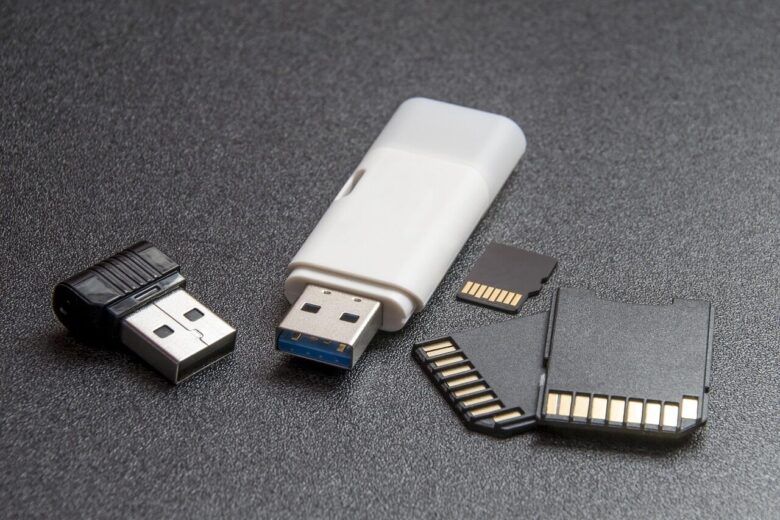
The SD Cards vs. CFexpress decision usually appears when a camera, recorder, or editing workflow starts producing files faster than your current cards can comfortably handle. For many photographers, SD cards are still practical, affordable, and reliable. For some hybrid shooters and professional video creators, however, CFexpress can remove bottlenecks that slow down shooting, downloading, and backup.
The upgrade is not only about buying a faster card. It affects your camera compatibility, card reader, computer ports, backup routine, storage budget, and even how safely you handle large projects on set. A CFexpress card can be much faster than a traditional SD card, but that extra speed only matters when your real workflow can use it.
In simple terms, SD cards are still enough for many photo sessions, casual 4K recording, travel work, and everyday content creation. CFexpress starts to make sense when you shoot high-bitrate video, long bursts of RAW photos, 6K or 8K footage, internal RAW video, or jobs where waiting for files to transfer costs time and money.
This guide explains when SD is still the smart choice, when CFexpress becomes worth the cost, how to compare real-world performance, and how to upgrade your workflow without wasting money on speed you do not need.
Important note: before buying any memory card, confirm the exact card type, speed requirement, and firmware compatibility in your camera or recorder manual. A fast card is not useful if the device does not support that format or cannot use its full performance.
The practical difference between SD Cards vs. CFexpress
The main difference is not only size or price. SD cards are widely used, easy to find, and available in many speed classes. CFexpress cards are designed for much higher data throughput, especially in professional cameras that record large files continuously.
SD cards usually serve beginners, enthusiasts, event photographers, travel creators, and many professional still photographers very well. A good UHS-II SD card can handle many demanding jobs, especially when the camera’s video bitrate and burst buffer do not exceed the card’s sustained write capability.
CFexpress uses a more advanced storage approach based on PCIe and NVMe technology, closer to what modern fast SSDs use. This is why CFexpress cards can offer much higher transfer speeds and stronger sustained performance than typical SD cards, depending on the card type and model.
| Feature | SD Cards | CFexpress |
|---|---|---|
| Best for | Everyday photography, many 4K modes, travel, backup cards, general use | High-bitrate video, RAW video, 6K/8K, long bursts, professional production |
| Cost | Usually more affordable | Usually more expensive |
| Availability | Very common in stores and online | Common in professional camera markets, but less universal |
| Speed ceiling | Strong with UHS-II and SD Express, but many cameras still use UHS-I or UHS-II | Very high, especially with Type B and newer high-performance cards |
| Workflow impact | Good for moderate file sizes and slower-paced jobs | Useful when capture speed and transfer speed both affect delivery time |
In practice, the better choice depends on the slowest part of your chain. A fast CFexpress card will not help if your camera only accepts SD. A premium SD card will not solve dropped frames if the camera’s required video mode specifically needs CFexpress or a higher sustained write rating.
When SD cards are still enough
SD cards are not outdated. They remain one of the most practical storage formats for cameras because they are compact, affordable, and supported by many devices. For many creators, upgrading to better SD cards is more sensible than moving to CFexpress immediately.
If you mainly shoot JPEG, compressed RAW, short 4K clips, social media videos, weddings in standard formats, interviews, travel content, or YouTube footage with moderate bitrates, a reliable UHS-II SD card may be enough. The key is to check the required sustained write speed, not only the advertised maximum read speed.
A common mistake is buying a card because the front label shows a large read number. Read speed affects file transfer to your computer. Write speed affects recording and burst shooting. For camera work, sustained write speed is usually more important than the largest number printed on the package.
- Your camera records your chosen video settings without warnings or stopped clips.
- Your burst shooting buffer clears fast enough for your normal photography style.
- You are not losing time during file transfers after every job.
- You can afford enough cards to rotate safely and keep backups separated.
- Your current card reader and computer ports are not slowing the workflow too much.
If most of these points are true, staying with SD is reasonable. You may only need higher-quality SD cards, a faster reader, or a better backup routine instead of a full CFexpress upgrade.
When CFexpress becomes worth the upgrade
CFexpress becomes worth considering when your camera can create data faster than SD cards can safely write or when your workday depends on quickly moving very large files. This often happens in hybrid photography and video workflows where file sizes grow quickly.
Examples include internal RAW video, high-frame-rate 4K, 6K recording, 8K recording, high-bitrate All-Intra codecs, long continuous takes, and sports or wildlife bursts in RAW. In these situations, the card is not just storage. It becomes part of the camera’s performance system.
Another sign is repeated waiting. If you spend too much time waiting for the camera buffer to clear, waiting for cards to offload, or waiting to duplicate media before leaving a job, faster media can change the whole workflow. The upgrade is easier to justify when it saves time on every paid project.
| Workflow problem | Possible cause | What to check before upgrading |
|---|---|---|
| Video recording stops unexpectedly | The card cannot sustain the required write speed | Camera manual, codec bitrate, card speed rating, approved media list |
| RAW burst slows down too quickly | The buffer fills faster than the card can write | Buffer depth, file size, card sustained write speed |
| Offloads take too long | Reader, port, card, or computer storage is too slow | Reader type, USB or Thunderbolt speed, internal SSD speed |
| High-end modes are locked or limited | The camera requires a faster card format | Manufacturer media compatibility notes |
| Cards overheat or throttle during long work | The card is under heavy sustained load | Card model, thermal design, recording duration, ambient temperature |
CFexpress is most valuable when the camera, card, reader, computer, and backup drive are all fast enough to benefit from it. If only one part is upgraded, another part may become the new bottleneck.
Understanding speed ratings without getting confused
Memory card marketing can be confusing because manufacturers often show the fastest possible read speed more prominently than the sustained write speed. For recording video and clearing camera buffers, sustained write performance is the number that deserves the most attention.
On SD cards, markings such as UHS Speed Class and Video Speed Class help identify minimum write performance under defined conditions. For example, Video Speed Class markings such as V30, V60, and V90 are commonly used by creators to match cards with demanding video modes.
With CFexpress, you may see very high read and write numbers, but you should still check sustained write speed and video performance guarantees when available. A card that reaches a high peak speed for a short transfer may not maintain that speed during long recording sessions.
-
Check the camera’s required media type.
Start with the manual or official support page. Some cameras accept SD only, some accept CFexpress only, and some have mixed slots. Do not assume that a physically similar card will work.
-
Identify the exact recording mode you use.
Look at resolution, frame rate, codec, bit depth, compression type, and bitrate. A camera may record basic 4K on SD but require CFexpress for higher-bitrate or RAW modes.
-
Compare sustained write speed, not only peak read speed.
Peak read speed helps with transfers, but sustained write speed helps recording. If the card cannot maintain the needed write rate, the camera may stop recording or reduce performance.
-
Check your reader and computer connection.
A fast card needs a fast reader and a fast port. A slow USB reader can make an expensive CFexpress card feel much slower during offload.
-
Test before using it on paid work.
Record long clips, shoot bursts, offload files, and verify backups before trusting a new card format on an important job.
This step-by-step approach prevents the most common buying mistake: paying for a card based on impressive packaging numbers without confirming whether the whole workflow can use that speed.
How CFexpress changes the full workflow
The biggest benefit of CFexpress is often not only inside the camera. It can also improve how quickly you move media from card to computer, create backups, and start editing. For creators handling hundreds of gigabytes per job, this time savings can be significant.
For example, a photographer shooting a sports event in RAW may benefit from faster buffer clearing during action sequences. A video creator recording high-bitrate footage may benefit from safer continuous recording. An editor may benefit from faster offloads when several cards must be copied and verified before the next shoot.
However, faster cards also demand better workflow discipline. Larger files fill drives quickly. Faster capture can encourage overshooting. CFexpress readers may become warm during heavy transfers. Backup drives must also be fast enough, or the transfer advantage disappears.
- Use a dedicated CFexpress reader from a reliable brand.
- Connect the reader to a fast port that supports the reader’s rated speed.
- Copy files to a fast internal SSD or high-performance external SSD.
- Verify backups before formatting cards.
- Label cards clearly to avoid mixing used and empty media.
- Keep at least two copies of important footage before leaving a job location.
In many professional workflows, the upgrade is not only “buy CFexpress.” It is “build a faster media pipeline.” That pipeline includes capture, transfer, verification, editing storage, backup, and archive.
Cost, compatibility, and hidden expenses
CFexpress cards usually cost more than SD cards, especially at higher capacities. The card itself is only part of the expense. You may also need a reader, faster external drives, more archive storage, and possibly a computer with better ports.
Compatibility deserves careful attention. CFexpress Type A and Type B are not the same physical format. A camera that uses CFexpress Type A will not accept Type B cards, and a Type B reader will not read Type A cards unless it specifically supports both formats. Some cameras also require firmware updates or approved card models for certain modes.
Capacity also matters. A smaller fast card may not be useful if your video files fill it too quickly. For long-form interviews, documentaries, weddings, and events, a balanced setup often includes fewer but larger high-quality cards instead of many small cards that interrupt recording and backup routines.
| Expense | Why it matters | Smart buying approach |
|---|---|---|
| Card | Determines recording reliability and capacity | Choose based on sustained write needs and camera compatibility |
| Reader | Controls offload speed | Buy a reader that matches your card type and computer ports |
| Computer port | Can limit transfer speed | Use high-speed USB or Thunderbolt when supported |
| Editing drive | Receives the files after transfer | Use an SSD fast enough for large video projects |
| Backup storage | Protects against card or drive failure | Budget for duplicate copies, not just capture media |
A safe upgrade plan considers the total cost. If the camera already performs well with SD and your jobs are not time-sensitive, the money may be better spent on lighting, lenses, audio, backup drives, or a better card reader.
Common mistakes when choosing between SD and CFexpress
One common mistake is assuming that CFexpress automatically improves image quality. It does not. A faster card does not make photos sharper or video more cinematic. It only helps the camera write data faster and helps the workflow move files more efficiently.
Another mistake is using cheap or unknown cards for demanding work. This is risky with both SD and CFexpress. Professional files are often more valuable than the card itself, so reliability, warranty, compatibility, and real-world testing matter more than saving a small amount on storage.
A third mistake is ignoring the camera’s approved media list. Some cameras are sensitive to card model, capacity, firmware, or sustained performance. If a manufacturer recommends certain cards for demanding modes, that guidance should be taken seriously.
| Mistake | Possible consequence | Better approach |
|---|---|---|
| Buying only by peak read speed | The card may still fail in demanding recording modes | Check sustained write speed and camera requirements |
| Ignoring card type | The card may not physically fit or function | Confirm SD, CFexpress Type A, or CFexpress Type B before purchase |
| Using one large card for everything | A single failure can affect the whole project | Use a planned rotation and backup routine |
| Formatting without verified backups | Important files may be lost | Keep at least two confirmed copies before formatting |
| Testing on the job for the first time | Unexpected errors can interrupt paid work | Stress-test new cards before important sessions |
In real projects, card problems often appear at the worst time: during long recording, fast action, hot weather, or rushed offloads. Testing your cards before the job is one of the simplest ways to reduce risk.
A practical upgrade path for photographers and video creators
The safest way to upgrade is to identify the actual bottleneck before spending money. Sometimes the problem is not the card. It may be the reader, cable, USB hub, computer port, slow hard drive, full editing disk, or weak backup process.
For photographers, the first upgrade may be a better UHS-II SD card if the camera supports UHS-II. For video creators, the first step is checking which recording modes are limited by the current card. If the camera requires CFexpress for the modes you need, then the decision becomes clearer.
For hybrid shooters, a mixed setup can work well. Use SD cards for lighter work, backup recording, proxy files, or less demanding sessions. Use CFexpress for the highest-bitrate modes, long bursts, and important jobs where speed and reliability are more important than card cost.
-
List your most demanding camera settings.
Write down the resolution, frame rate, codec, bitrate, and photo burst format you actually use. Do not build a workflow around settings you rarely need.
-
Measure your current bottleneck.
Notice whether the problem happens during recording, burst shooting, file transfer, editing, or backup. The right upgrade depends on where the delay appears.
-
Upgrade the cheapest bottleneck first.
If your reader or external drive is slow, replacing it may improve the workflow more than buying new cards immediately.
-
Buy one proven card before replacing everything.
Test one card in your camera and computer workflow. If it solves the problem, then expand the kit with confidence.
-
Create a card rotation system.
Use labels, cases, and a clear rule for empty, used, and backed-up cards. Faster cards do not replace careful media handling.
This approach helps avoid overspending. It also gives you a workflow that is easier to trust because every purchase solves a specific problem.
When to ask for professional support or check official sources
You should check official sources whenever a camera refuses to record, displays media warnings, stops clips, overheats, or limits certain modes. Camera manufacturers may publish approved card lists, firmware notes, and recording charts that are more reliable than general advice.
Professional support is also useful when you manage paid productions, multi-camera jobs, long interviews, live events, or client footage that cannot be repeated. In those cases, media planning is part of production safety, not a small accessory decision.
If you see repeated errors across multiple cards, do not assume every card is defective. The issue may be the camera slot, firmware, reader, cable, computer port, file system, or a damaged card. A qualified camera service center or the manufacturer’s support team can help identify the safest next step.
- Check the camera manual before buying a new card format.
- Look for official approved media lists for demanding video modes.
- Update camera firmware only through the manufacturer’s official instructions.
- Stop using a card that repeatedly causes errors until it is tested.
- Use professional recovery services if important files are missing or corrupted.
For valuable projects, avoid risky experiments such as using unknown adapters, suspiciously cheap cards, or untested media. A reliable workflow is usually cheaper than trying to recover lost files later.
Conclusion
The SD Cards vs. CFexpress choice should be based on your real capture needs, not only on the fastest numbers printed on a card label. SD cards still make sense for many photographers and creators, especially when the camera records reliably, the buffer clears fast enough, and file transfers do not slow down delivery.
CFexpress becomes the better upgrade when your workflow involves high-bitrate video, RAW recording, 6K or 8K footage, long bursts, or large jobs where transfer time affects productivity. The most important step is checking camera compatibility, sustained write speed, reader performance, and backup storage before buying.
If you are unsure, start by testing your current bottleneck and reviewing the official camera requirements. For paid work, repeated recording errors, or footage that cannot be recreated, consult the camera manufacturer’s support resources or a qualified technician before relying on a new card setup.
FAQ
1. Is CFexpress always better than an SD card?
No. CFexpress is usually faster, but that does not mean it is always the better choice. If your camera only records moderate-bitrate video or standard photo bursts, a reliable SD card may work perfectly. CFexpress becomes useful when the camera and workflow can actually use the extra speed. If your device does not support CFexpress, or if your files are small, the upgrade may not improve your results. The best card is the one that matches your camera requirements, recording mode, budget, and backup routine.
2. Does CFexpress improve photo or video quality?
CFexpress does not directly improve image quality. It does not change dynamic range, sharpness, color, resolution, or lens performance. Its job is to store data quickly and reliably. The benefit appears when your camera needs to write large amounts of data, such as RAW bursts or high-bitrate video. In those cases, CFexpress may allow the camera to keep recording or clear the buffer faster. The quality comes from your camera settings, lens, lighting, exposure, and editing process, not from the card format itself.
3. When should a photographer upgrade from SD to CFexpress?
A photographer should consider CFexpress when the current SD workflow creates real limits. Signs include slow buffer clearing during sports or wildlife bursts, missed moments because the camera is still writing files, or very long offload times after large shoots. If your camera has a CFexpress slot and your work involves high-volume RAW shooting, the upgrade may save time. If you shoot portraits, travel, products, or slower sessions, high-quality SD cards may still be enough. The decision should follow the type of work, not only the desire for faster gear.
4. When should a video creator upgrade to CFexpress?
A video creator should look at CFexpress when recording modes demand high sustained write speeds. This often includes RAW video, All-Intra codecs, high-frame-rate 4K, 6K, 8K, and long continuous recording in professional formats. If your camera stops recording, warns that the card is too slow, or disables certain modes, CFexpress may be necessary. Before buying, check the official manual or approved media list. Some cameras can record basic 4K to SD but require CFexpress for the most demanding formats.
5. What matters more: read speed or write speed?
For recording, write speed matters more. The camera needs to write data to the card continuously, and if the card cannot keep up, recording may stop or the buffer may fill. For transferring files to a computer, read speed becomes important because it affects how quickly files leave the card. A balanced workflow considers both. Many card packages highlight peak read speed because it looks impressive, but creators should also check sustained write speed, video speed ratings, and real compatibility with the camera.
6. Are all CFexpress cards the same?
No. CFexpress cards come in different types, mainly Type A and Type B in current camera workflows. They are physically different and are not interchangeable. A Type A card will not fit a Type B slot, and a Type B card will not fit a Type A slot. Cards also vary by capacity, sustained write speed, thermal behavior, warranty, and compatibility with specific cameras. Before buying, confirm the exact CFexpress type your camera uses and check whether the card is recommended for your recording modes.
7. Can a fast SD card replace CFexpress?
Sometimes, but not always. A high-quality UHS-II SD card can handle many professional photo and video tasks, especially when the camera’s bitrate is moderate. However, some cameras require CFexpress for specific modes because the data rate is too high for normal SD recording. A fast SD card also cannot fit a CFexpress-only slot. If your camera allows both formats, test the exact recording mode you use. The right answer depends on the camera, codec, bitrate, and how long you need to record.
8. Why do some cameras have both SD and CFexpress slots?
Some cameras include both formats to give users flexibility. The SD slot may be useful for lighter work, backup recording, JPEG files, proxy files, or affordable everyday shooting. The CFexpress slot can be reserved for demanding video modes, RAW bursts, or high-speed work. This mixed design lets creators choose cost or performance depending on the project. However, dual-slot behavior varies by camera. Some modes may require both cards to meet certain speeds, while others may only allow the fastest mode on the CFexpress slot.
9. Is it better to buy one large card or several smaller cards?
Both approaches have trade-offs. One large card reduces card changes and is useful for long video recording, but it also concentrates more footage in one place. Several smaller cards can reduce the impact of one card failure, but they require more careful labeling and rotation. For professional work, many creators prefer a balanced setup: enough capacity to avoid constant interruptions, but not so much that an entire project depends on one card. Whatever you choose, verified backups are more important than card size alone.
10. Do I need a special reader for CFexpress?
Yes, you need a reader that supports the exact CFexpress type you use. A Type B reader will not automatically read Type A cards unless it is designed for both formats. The reader also needs a fast connection to your computer, or transfer speed will be limited. For example, a high-performance CFexpress card connected through a slow port will not deliver its full offload advantage. When upgrading, plan for the card, reader, cable, computer port, and destination drive together.
11. Why does my fast card still transfer files slowly?
Slow transfer can happen even with a fast card because the card is only one part of the chain. The reader may be slow, the cable may not support high-speed data, the computer port may be limited, or the destination drive may be a slow hard drive. Background tasks, full drives, and poor-quality hubs can also reduce speed. To diagnose the issue, test the card with a proper reader, connect directly to a fast port, and copy files to a fast SSD with enough free space.
12. Should beginners buy CFexpress immediately?
Most beginners do not need CFexpress immediately unless their camera requires it. A good SD card is often more practical because it costs less, is easier to find, and works well for learning photography and standard video. Beginners usually benefit more from investing in lenses, lighting, audio, education, and backup storage. CFexpress becomes a better investment when your actual work demands it, such as high-bitrate video, fast RAW bursts, or professional jobs with strict delivery times. Start with the camera’s requirements and upgrade when there is a real bottleneck.
Editorial note: This article is for educational purposes and should not replace the official media requirements provided by your camera, recorder, card, or reader manufacturer. For professional productions, always test cards before important work and keep verified backups before formatting media.
Official References
- SD Association — Speed Class
- SD Association — Bus Speed Standards
- SD Association — Speed Class Standards for Video Recording
- CompactFlash Association — Official Website

Marcus Hale is the founder of Priwoo StorageLab and a long-time camera storage enthusiast. After losing a full shoot to a corrupted card, he became obsessed with understanding how memory media really works. He now spends his time testing cards, breaking down storage specs, and helping photographers and videographers avoid data loss.