Choosing the right memory card for your camera can feel like a daunting task. With modern high-resolution sensors and 8K video recording, you need storage that keeps up with your creative vision. Many photographers find themselves confused when comparing CFexpress types to ensure they get the best performance.
Understanding the differences between these formats is essential for any professional or enthusiast. While both offer incredible transfer rates, their physical dimensions and compatibility vary significantly. We are here to help you navigate these technical specifications with ease.
By the end of this guide, you will know exactly which card fits your workflow. Let’s dive into the details of CFexpress Type A vs Type B to simplify your next gear purchase.
Key Takeaways
- Both formats provide high-speed data transfer for professional photography.
- Physical size is the primary difference between these memory card standards.
- Compatibility depends entirely on your specific camera model’s card slots.
- Choosing the correct format prevents hardware bottlenecks during video recording.
- Future-proofing your kit requires understanding these distinct storage technologies.
The Evolution of Professional Camera Storage
Professional camera storage has evolved remarkably, from the early days of CompactFlash cards to the latest NVMe-based solutions like CFexpress. This evolution has been driven by the increasing demands of high-resolution imaging and video recording.
The transition from traditional storage formats to newer, faster technologies has been pivotal in supporting the advanced capabilities of modern cameras. As cameras produce higher resolution images and video, the need for storage that can keep up with these demands has become critical.
From CompactFlash to the NVMe Era
The journey began with CompactFlash cards, which were once the standard for professional cameras. However, as technology progressed, the limitations of CompactFlash became apparent, particularly in terms of data transfer speeds and storage capacity.
The introduction of NVMe technology marked a significant milestone, offering substantially faster read and write speeds compared to its predecessors. This shift has enabled professionals to work more efficiently, especially in applications requiring high-speed data transfer such as 4K and 8K video production.
Why High-Speed Storage is Essential for Modern Video
Modern video production often involves high-resolution formats that generate large amounts of data. For instance, 8K video recording can produce data rates that exceed 400 Mbps. In such scenarios, high-speed storage solutions like CFexpress become indispensable.
The importance of fastest camera memory cannot be overstated, as it directly impacts the ability to record and process video smoothly. Slow storage can lead to buffering issues, dropped frames, and other performance problems that can be costly in a professional setting.
| Storage Technology | Max Read Speed (MB/s) | Max Write Speed (MB/s) |
|---|---|---|
| CompactFlash | 160 | 150 |
| UHS-II SD | 300 | 260 |
| CFexpress Type A | 1000 | 800 |
| CFexpress Type B | 2000 | 1700 |
This table illustrates the significant advancements in storage technology, highlighting the superior speeds offered by CFexpress solutions. As the demands of professional photography and videography continue to evolve, the role of pro camera storage will remain crucial in supporting these advancements.
Defining CFexpress Type A vs Type B
Understanding the differences between CFexpress Type A and Type B is crucial for professionals looking to upgrade their storage solutions. Both types are part of the CFexpress standard, which has been designed to provide high-speed storage for modern cameras. However, they differ significantly in terms of their technical specifications and applications.
Understanding the PCIe Interface Standards
CFexpress cards utilize the PCIe (Peripheral Component Interconnect Express) interface, a high-speed standard that allows for faster data transfer rates compared to traditional storage interfaces. PCIe is crucial for achieving the high read and write speeds required by modern professional cameras, especially those capable of capturing 4K and 8K video. Both Type A and Type B CFexpress cards use the PCIe interface, but they differ in the number of lanes they support.
The PCIe interface is a key factor in determining the performance of CFexpress cards. By leveraging multiple lanes, CFexpress cards can achieve higher data transfer rates. The number of lanes directly impacts the bandwidth available for data transfer.
The Role of Lanes in Data Throughput
The number of lanes in a PCIe interface significantly affects the data throughput. Type A CFexpress cards typically use a single lane (x1), while Type B cards use two lanes (x2). This difference means that Type B cards have twice the bandwidth of Type A cards, resulting in higher data transfer rates. For professionals who need to capture high-resolution video or high-speed burst photography, the increased bandwidth of Type B cards can be a significant advantage.
In summary, the choice between CFexpress Type A and Type B depends on the specific needs of the professional. Understanding the technical differences, particularly in terms of PCIe interface standards and the role of lanes in data throughput, is essential for making an informed decision.
Physical Dimensions and Form Factor Differences
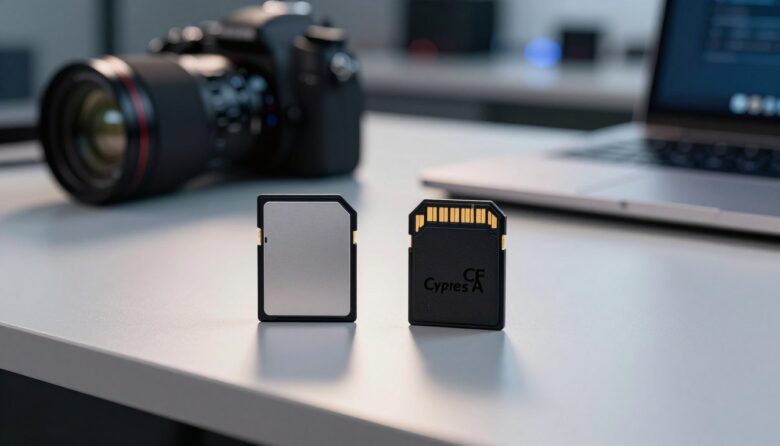
When it comes to CFexpress cards, the differences between Type A and Type B extend beyond just their names, with distinct physical dimensions that impact their compatibility and usage.
The physical attributes of these cards are crucial in determining their suitability for various camera systems. Type A and Type B CFexpress cards differ significantly in size, which affects their adoption across different camera models.
Compact Nature of Type A
Type A CFexpress cards are designed to be compact, making them ideal for use in smaller camera bodies. Their smaller form factor is particularly beneficial for mirrorless cameras where space is limited.
- Smaller size: Allows for use in compact camera bodies.
- Ideal for mirrorless cameras: Their size makes them a perfect fit for the slimmer designs of modern mirrorless cameras.
Robust Design of Type B
Type B CFexpress cards, on the other hand, have a more robust design. They are larger than Type A cards and offer higher storage capacities and faster speeds, making them suitable for high-end cameras that can accommodate their size.
- Larger capacity: Type B cards often offer higher storage capacities.
- Faster speeds: They are capable of achieving higher data transfer rates.
The choice between Type A and Type B CFexpress cards largely depends on the camera model and the specific needs of the photographer or videographer. For instance, Sony has adopted Type A for some of its Alpha series cameras, leveraging the compact nature of these cards. In contrast, Canon and Nikon have opted for Type B in some of their models, benefiting from the higher speeds and capacities they offer.
Understanding these differences is key to selecting the right CFexpress card for your camera, ensuring optimal performance and compatibility.
Performance Metrics and Data Transfer Speeds
When it comes to the fastest camera memory, CFexpress Type A and Type B cards are revolutionizing the way professionals capture high-quality content. The performance metrics of these cards are crucial for understanding their capabilities and limitations.
The primary performance metrics for CFexpress cards include their maximum read and write speeds. These speeds determine how quickly data can be transferred to and from the card, affecting overall camera performance.
Maximum Read and Write Capabilities
CFexpress Type A cards offer impressive read and write speeds, with some models reaching up to 800 MB/s read and 700 MB/s write. In contrast, CFexpress Type B cards can achieve even higher speeds, with read speeds of up to 2000 MB/s and write speeds of up to 1700 MB/s.
Comparison of Maximum Read and Write Speeds:
| CFexpress Type | Maximum Read Speed (MB/s) | Maximum Write Speed (MB/s) |
|---|---|---|
| Type A | 800 | 700 |
| Type B | 2000 | 1700 |
Sustained Performance for 8K Recording
For professionals shooting in 8K, sustained performance is critical. CFexpress Type B cards are generally better suited for 8K recording due to their higher sustained write speeds. Sustained write speeds refer to the card’s ability to maintain high speeds over a prolonged period, which is essential for demanding tasks like 8K video recording.
The difference in sustained performance between Type A and Type B cards can significantly impact the workflow of professionals. Type B cards can handle the high bitrates associated with 8K recording more effectively, reducing the likelihood of buffer slowdowns and dropped frames.
Compatibility with Modern Camera Systems
Understanding the compatibility of CFexpress cards with various camera systems is crucial for professionals seeking to optimize their workflow. As camera technology continues to evolve, the need for seamless integration between storage solutions and camera bodies has become paramount.
The compatibility of CFexpress cards with modern cameras is influenced by several factors, including the type of CFexpress card used (Type A or Type B), the camera’s slot configuration, and the firmware capabilities of the camera.
Camera Slots and Physical Constraints
One of the primary considerations is the physical compatibility between the CFexpress card and the camera slot. Cameras that support CFexpress Type A cards have specific slots designed for the smaller form factor, while those that support Type B have slots that accommodate the larger size.
Camera manufacturers have adopted different strategies regarding CFexpress compatibility:
- Some cameras offer dual slots that can accommodate both SD cards and CFexpress cards, providing flexibility for users.
- Others are designed with dedicated CFexpress slots, optimizing performance for high-speed applications.
The physical constraints also extend to the thickness of the cards and the robustness required for professional use. Type B cards, being thicker, are often preferred in cameras where size is not a limiting factor, and higher storage capacities are needed.
Firmware Requirements for Optimal Performance
Beyond physical compatibility, the firmware of the camera plays a critical role in ensuring that CFexpress cards operate at their full potential. Camera manufacturers must update their firmware to support the NVMe protocol used by CFexpress cards.
“The NVMe protocol is a game-changer for professional photography and videography, offering speeds that far exceed those of traditional storage solutions.”
Firmware updates can enhance the camera’s ability to handle the high-speed data transfer rates of CFexpress cards, ensuring that the camera can fully leverage the benefits of these advanced storage solutions.
| Camera Brand | CFexpress Support | Firmware Update |
|---|---|---|
| Sony | Type A | Available |
| Canon | Type B | Available |
| Nikon | Type B | Available |
By understanding these compatibility factors, professionals can make informed decisions about their storage needs and ensure that their camera systems are optimized for the demands of modern photography and videography.
Sony Alpha Series and the Rise of Type A
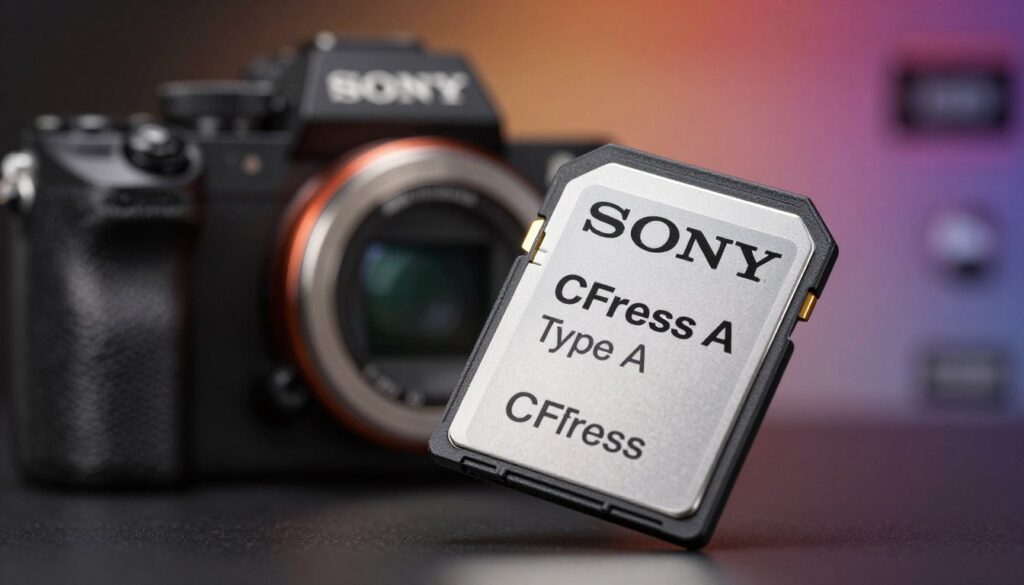
Sony’s decision to integrate CFexpress Type A into their Alpha series cameras marks a significant shift in the industry’s approach to high-speed storage. This move not only highlights Sony’s commitment to innovation but also reflects the evolving needs of professional photographers and videographers.
The Alpha series, known for its cutting-edge technology, has been a benchmark for camera performance. By adopting CFexpress Type A, Sony has further enhanced the capabilities of their cameras, providing users with the high-speed storage necessary for demanding workflows.
Why Sony Chose the Smaller Form Factor
Sony’s choice of CFexpress Type A over Type B was likely influenced by the need for a balance between size and performance in their mirrorless cameras. Type A’s smaller form factor allows for more compact camera designs without sacrificing speed.
The use of CFexpress Type A enables Sony to maintain the sleek and portable design that mirrorless camera users expect, while still delivering exceptional data transfer speeds. This is particularly important for professionals who need to balance equipment portability with high-performance capabilities.
Balancing Size and Speed in Mirrorless Bodies
One of the key challenges in designing mirrorless cameras is achieving a balance between size, weight, and performance. Sony’s adoption of CFexpress Type A demonstrates a successful approach to this challenge.
By leveraging the smaller size of Type A cards, Sony can design cameras that are not only powerful but also compact and user-friendly. This balance is crucial for professionals who require high-speed storage without the bulk.
In comparison to Canon and other competitors who have opted for CFexpress Type B, Sony’s strategy with Type A showcases a different path to achieving high-speed storage. The Sony vs Canon CFexpress debate highlights the diverse approaches camera manufacturers are taking to meet the demands of modern photography and videography.
Canon and Nikon Adoption of Type B
The adoption of CFexpress Type B by Canon and Nikon marks a significant shift in professional camera storage. This choice is largely driven by the need for higher speed and capacity in demanding photography applications.
Leveraging Dual-Slot Versatility
Canon and Nikon’s cameras that support CFexpress Type B often feature dual-slot designs. This allows photographers to use either two Type B cards or a combination of Type B and another format, such as SD or CFexpress Type A.
The dual-slot versatility offers several benefits, including extended recording times, improved burst mode capabilities, and enhanced workflow flexibility.
Performance Advantages for High-Resolution Burst Shooting
CFexpress Type B cards offer superior performance, with read and write speeds that significantly outpace other formats. This is crucial for high-resolution burst shooting, where cameras generate vast amounts of data in short periods.
| Format | Read Speed (MB/s) | Write Speed (MB/s) |
|---|---|---|
| CFexpress Type B | Up to 2000 | Up to 1700 |
| UHS-II SD | Up to 312 | Up to 300 |
“The speed and capacity of CFexpress Type B cards have been a game-changer for my workflow, especially during high-resolution burst shooting sessions.”
In comparing Sony vs Canon CFexpress, it’s clear that both manufacturers are catering to different needs within the professional photography community. While Sony has focused on Type A for its compact size, Canon’s adoption of Type B highlights the importance of high-speed data transfer and dual-slot versatility.
Thermal Management and Reliability in the Field
As professionals increasingly rely on high-speed storage solutions like CFexpress cards, the importance of thermal management and reliability in the field cannot be overstated. The performance of these cards is crucial for capturing high-resolution images and videos, especially in demanding environments.
Effective thermal management is essential to prevent overheating, which can lead to reduced performance, data corruption, or even complete card failure. CFexpress cards are designed to operate within a specific temperature range, and exceeding these limits can compromise their functionality.
Heat Dissipation in Compact Memory Cards
CFexpress cards, despite their compact size, are capable of handling high-speed data transfer. However, this capability comes with the challenge of dissipating the heat generated during intense operations. Advanced heat dissipation techniques are employed in the design of these cards to mitigate this issue.
The compact nature of CFexpress Type A cards, for instance, requires innovative heat management solutions to ensure they remain within operational temperatures. This is particularly important in high-bitrate recording scenarios where the card is subjected to continuous heavy use.
Durability Standards for Professional Environments
Professional photographers and videographers often work in challenging environments, exposing their equipment to various forms of stress. CFexpress cards are designed to meet stringent durability standards, including resistance to extreme temperatures, vibration, and X-rays.
The following table highlights the key durability features of CFexpress cards:
| Feature | Description | Benefit |
|---|---|---|
| Temperature Resistance | Operates between -10°C to 75°C | Ensures functionality in extreme environments |
| Vibration Resistance | Withstands vibrations up to 1,500G | Prevents data loss during intense shoots |
| X-ray Resistance | Resistant to X-ray exposure | Protects data during airport security checks |
By adhering to these durability standards, CFexpress cards provide professionals with the reliability they need to focus on their work without worrying about their storage solutions.
Cost Analysis and Value for Professional Photographers
For professional photographers, the choice between CFexpress and other storage solutions like SD cards is not just about speed, but also about cost and long-term value. As the industry moves towards faster and more reliable storage, understanding the financial implications of this shift is crucial.
The cost of CFexpress cards, particularly Type A and Type B, varies significantly. To make an informed decision, professionals need to consider not just the upfront cost but also the long-term benefits and potential savings.
Price Per Gigabyte Comparison
When comparing CFexpress to SD cards, the price per gigabyte is a critical metric. Currently, CFexpress cards are more expensive per gigabyte than their SD counterparts. However, their superior performance and reliability can justify the higher cost for professionals who require high-speed data transfer and robust durability.
- CFexpress Type A: Offers a balance between size and speed, with prices reflecting its compact yet high-performance design.
- CFexpress Type B: Provides higher storage capacities and faster speeds, making it ideal for high-resolution video and burst shooting, albeit at a higher cost.
- SD Cards (UHS-II): While more affordable per gigabyte, they may not offer the same level of performance as CFexpress, potentially bottlenecking high-end camera capabilities.

Long-Term Investment in Storage Infrastructure
Professional photographers should also consider the long-term investment in their storage infrastructure. While CFexpress cards are currently more expensive, their adoption can future-proof a photographer’s workflow, reducing the need for frequent upgrades and ensuring compatibility with the latest camera models.
Moreover, the reliability and durability of CFexpress cards can lead to cost savings over time by reducing the need for replacements and minimizing data loss risks.
- Assess your current and future storage needs based on your camera equipment and workflow.
- Consider the total cost of ownership, including the cost of cards, readers, and any necessary upgrades to your camera or computer hardware.
- Evaluate the benefits of CFexpress in terms of performance, reliability, and future-proofing against the higher upfront cost.
By carefully weighing these factors, professional photographers can make an informed decision that balances their immediate needs with their long-term goals, ensuring a wise investment in their storage infrastructure.
CFexpress Versus SD Cards: Why the Upgrade Matters
CFexpress represents a significant leap forward in camera storage technology, outpacing traditional SD cards. As professionals increasingly demand higher quality and faster data transfer, the limitations of SD cards have become more apparent.
The primary bottleneck in SD card technology is the UHS-II interface, which, despite its advancements, cannot match the speeds offered by CFexpress. UHS-II has a maximum bandwidth of approximately 312 MB/s, a significant constraint for modern cameras capable of 8K resolution and high-frame-rate recording.
Bottlenecks in UHS-II Technology
UHS-II technology, while an improvement over its predecessors, is still constrained by its design and physical limitations. The interface is not optimized for the high-speed data transfer required by contemporary cameras. This results in slower write speeds, often causing delays and limitations in burst mode shooting and video recording.
Key limitations of UHS-II include:
- Limited bandwidth, capped at 312 MB/s
- Inadequate for high-resolution, high-frame-rate video
- Not designed to handle the demands of modern camera technology
The Transition to NVMe-Based Storage
CFexpress cards utilize the NVMe protocol, offering significantly faster data transfer rates compared to UHS-II SD cards. NVMe is designed to take full advantage of the PCIe interface, providing much higher speeds and lower latency.
Benefits of NVMe-based CFexpress cards include:
- Substantially higher read and write speeds
- Improved performance for 8K video and high-speed burst photography
- Better future-proofing for emerging camera technologies
The transition to NVMe-based storage is not just an upgrade; it’s a necessary step for professionals who require the best performance from their equipment. As camera technology continues to evolve, the need for faster, more reliable storage solutions will only grow.
| Feature | CFexpress Type A | CFexpress Type B | UHS-II SD Card |
|---|---|---|---|
| Interface | PCIe 3.0 x1 | PCIe 3.0 x2 | UHS-II |
| Max Bandwidth | 1000 MB/s | 2000 MB/s | 312 MB/s |
| Typical Use | High-speed photography, 4K video | 8K video, high-resolution burst shooting | General photography, some 4K video |
Choosing the Right Card for Your Workflow
Understanding your camera’s specific needs is key to choosing the right CFexpress card. When it comes to professional camera storage, the type of CFexpress card you select can significantly impact your workflow’s efficiency.
The first step in making an informed decision is to assess your camera’s bitrate requirements. Different cameras have varying bitrate needs based on their resolution, frame rate, and compression algorithms. For instance, cameras shooting 8K video or high-resolution stills require higher bitrate support compared to those shooting at lower resolutions.
Assessing Your Camera’s Bitrate Requirements
To determine the appropriate CFexpress card, you need to understand your camera’s maximum bitrate. This information is usually found in the camera’s manual or manufacturer’s website. For example, if your camera can shoot at a maximum bitrate of 800 Mbps, you’ll need a CFexpress card that can handle at least that speed.
Key considerations include:
- The camera’s maximum video bitrate
- The type of data you’re capturing (video, stills, or both)
- The intended use of the footage or images (e.g., editing, streaming, or archival)
CFexpress cards come in different types, such as Type A and Type B, each with its own specifications and capabilities. Type A cards are smaller and offer speeds up to 1000 MB/s, while Type B cards are larger and can reach speeds of up to 2000 MB/s.
Future-Proofing Your Gear Bag
When selecting a CFexpress card, it’s also important to consider future-proofing your gear bag. As camera technology advances, the demand for higher storage speeds and capacities will continue to grow. Investing in a CFexpress card that not only meets your current needs but also has the potential to support future camera models or upgrades is a wise decision.
Consider the following when future-proofing:
- The card’s compatibility with future camera models
- The potential for increased bitrate requirements in future firmware updates
- The card’s durability and build quality
By carefully assessing your camera’s bitrate requirements and considering the need to future-proof your storage, you can make an informed decision when choosing a CFexpress card. This ensures that your storage solution is optimized for your current workflow and adaptable to future demands.
Conclusion
Choosing between CFexpress Type A and Type B depends on understanding the specific needs of your workflow. Professionals using Sony Alpha series cameras may prefer Type A for its compact size and compatibility, while those using Canon or Nikon cameras might opt for Type B due to its higher performance capabilities and dual-slot versatility.
The differences between CFexpress Type A vs Type B are significant, from physical dimensions to data transfer speeds. Type A offers a more compact solution, ideal for cameras with limited space, whereas Type B provides higher read and write speeds, making it suitable for high-resolution burst shooting and 8K video recording.
When deciding between CFexpress Type A vs Type B, consider your camera’s specifications, bitrate requirements, and future-proofing needs. By selecting the right CFexpress card, professionals can ensure they have the storage solution that meets their demands, enhancing their overall productivity and efficiency.
FAQ
What are the main differences between the two CFexpress types?
The primary differences lie in their physical size and data transfer speeds. CFexpress Type A is smaller and more compact, utilizing a single PCIe lane, which makes it ideal for the slim profiles of Sony Alpha mirrorless cameras. In contrast, CFexpress Type B is larger—similar in size to the older XQD cards—and uses two PCIe lanes, allowing it to achieve significantly higher maximum speeds, which is why brands like Canon and Nikon have adopted it as their pro camera storage standard.
In the battle of Sony vs Canon CFexpress, which card should I choose?
Your choice is actually dictated by your camera hardware! If you are shooting with a Sony A7S III, Sony Alpha 1, or Sony FX3, you will likely be using CFexpress Type A. If you are a Canon EOS R5 or Nikon Z9 user, your camera is designed for CFexpress Type B. While Type B offers higher top-end speeds for heavy 8K workflows, Sony prioritized a dual-slot design that can accept both SD and Type A cards in the same space.
Why is CFexpress considered the fastest camera memory available today?
CFexpress cards utilize NVMe (Non-Volatile Memory express) technology over a PCIe 3.0 interface, which is the same tech used in high-end computer SSDs. This allows CFexpress Type B cards from brands like Lexar or ProGrade Digital to reach read speeds of up to 1,700 MB/s. This is a massive jump compared to even the best SD cards, making it the fastest camera memory for clearing buffers during high-speed burst shooting.
How does CFexpress vs SD performance impact my daily workflow?
The move from CFexpress vs SD is all about removing bottlenecks. While UHS-II SD cards max out around 300 MB/s, CFexpress starts much higher. For professional videographers, this means the ability to record high-bitrate 8K RAW video internally without the camera overheating or the recording stopping. For photographers, it means your camera’s buffer clears almost instantly, so you never miss a shot during a sports event or a wedding.
Are CFexpress cards backward compatible with older camera slots?
It depends on the card type and the camera. CFexpress Type B cards share the same form factor as XQD cards. Many older cameras, such as the Nikon Z6 or Nikon D850, received firmware updates to support CFexpress Type B. However, CFexpress Type A is a completely new, smaller design and is not compatible with any legacy card slots.
Do these cards have issues with heat during long video recordings?
High-speed data transfer generates heat. CFexpress Type B cards generally have better thermal management because their larger surface area allows for more efficient heat dissipation. While CFexpress Type A cards are more prone to getting warm due to their compact size, Sony has engineered their Alpha series cameras to handle these thermal demands for professional-length shoots.
Is the higher price of CFexpress worth the investment for a professional?
Absolutely. While the price per gigabyte is higher than traditional SD cards, the reliability and durability of CFexpress are superior. These cards are designed for pro camera storage environments where speed is critical. Investing in a card from a reputable brand like SanDisk Professional or Delkin Devices ensures that your storage can keep up with the advanced sensors in modern flagship cameras for years to come.

Ryan Whitaker is a technology writer and imaging enthusiast dedicated to camera storage media and data performance. He breaks down complex storage solutions into practical insights for photographers, videographers, and content creators.